Apps tagged with 'convert-to-webm'

All apps in Apps tagged with 'convert-to-webm' category. Use the filters below to narrow down your search. 
Copy a direct link to this comment to your clipboard
  1. Zamzar icon
     32 likes

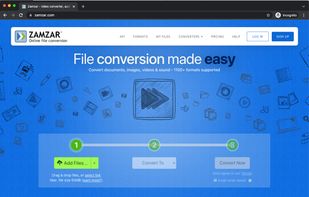
    Online file converter, providing easy to use file conversion and compression for hundreds of different file formats. Includes support for document, video, image, audio, CAD and more. Also offers a desktop app and powerful API for developers.

    Cost / License

    • Freemium
    • Proprietary

    Platforms

    • Online
    • Software as a Service (SaaS)
    Easy to use 3 step tool for converting files.
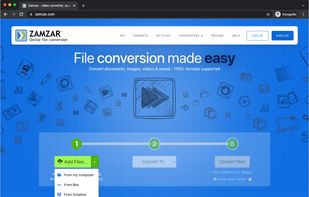
    Convert files from your local computer or cloud storage such as Google Drive.
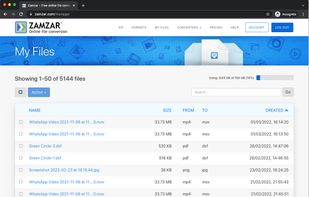
    Secure inbox to manage your converted files.
    +3
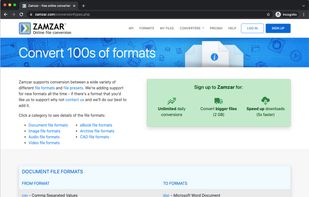
    Support for hundreds of different formats - document, video, image, audio and more.
    135 alternatives
  2. Honeycam icon
     4 likes

    Honeycam is a Windows application for capturing your screen and creating animated GIF, WebP, APNG, and WebM files. It can record any area of your screen or convert existing video files into animations, providing a simple workflow for creating tutorials, demonstrations, gameplay...

    Cost / License

    • Free Personal
    • Proprietary

    Platforms

    • Windows
    Capture. Create. Animate. Create animated images in minutes.
    Screen Recording Made Simple
Select an area and start recording instantly.
    Edit with Precision
Trim, resize, crop, and optimize every frame.
    +4
    Make Every Frame Shine
Enhance colors, adjust brightness, and apply beautiful filters.
    12 alternatives
  3. Laurix icon
     1 like

    Laurix is a macOS desktop app built for web developers, designers and motion designers who need optimized animated assets fast.

    Cost / License

    • Freemium
    • Proprietary

    Platforms

    • Mac
    Laurix — Marketing banner: Your videos, web-ready in seconds
    Laurix — Video conversion in progress with real-time progress bar and settings panel
    Laurix — Side-by-side preview: source video (left) vs live output preview (right)
    +2
    Laurix — Trim mode: set In and Out points to extract a precise segment before converting
    4 alternatives