




Hatch for Mac
Like
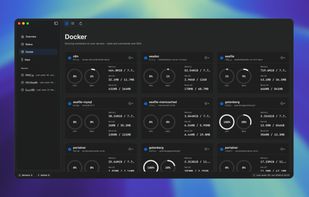
Hatch is a native macOS app for developers, sysadmins, and homelab users who are tired of switching between a terminal and a separate SFTP client when managing remote servers.

Cost / License
- Pay once
- Proprietary
Application typeApplication types
 EU
EUPlatforms
- Mac



Features
Hatch for Mac News & Activities
Highlights All activities
Recent activities
- Ansgar Scheffold updated Hatch for Mac
- Ansgar Scheffold added Hatch for Mac
- Paul updated Hatch for Mac
 Ansgar Scheffold added Hatch for Mac as alternative to Termius, Oysape, SSH Client Terminal, Putty for Mac and 17 more


Hatch for Mac information
Developed by
 Ansgar Scheffold
 Licensing
Proprietary and Commercial product.Pricing
One time purchase (perpetual license) that costs $15.Alternatives
21 alternatives listedBadge
Get an embeddable badge for Hatch for MacSupported Languages


No comments or reviews, maybe you want to be first?