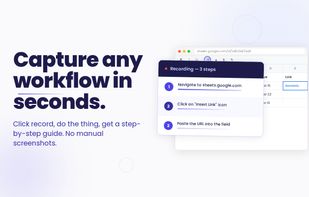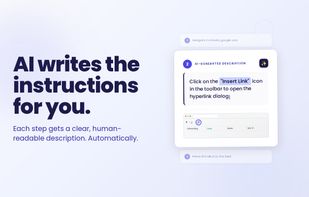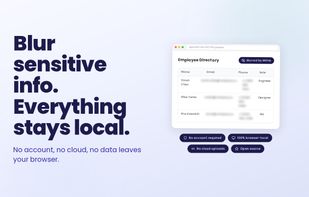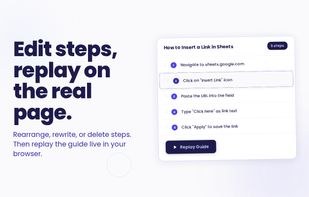

Auto-capture any browser workflow into a step-by-step guide with screenshots. Local-first, open source, bring your own AI key.
Cost / License
- Free
- Open Source (MIT)
Application type
Platforms
- Microsoft Edge
- Google Chrome
- Mozilla Firefox



GuideToDocs is described as 'Tired of manually documenting processes? Guide to Docs is the ultimate Chrome extension that records your screen actions and instantly generates professional user guides — complete with screenshots and step-by-step instructions' and is an app in the web browsers category. There are seven alternatives to GuideToDocs for a variety of platforms, including Google Chrome, SaaS, Windows, Web-based and Mozilla Firefox apps. The best GuideToDocs alternative is Mimik, which is both free and Open Source. Other great apps like GuideToDocs are MagicHow, Guidde, Scribehow and FlowShare.
Auto-capture any browser workflow into a step-by-step guide with screenshots. Local-first, open source, bring your own AI key.


MagicHow is a free step-by-step guide creation tool for automatic process documentation and creating instructional documents like how-to guides, manuals, tutorials, and standard operating procedures (SOPs).


Generate instant video and document guides with generative AI, highlight automation, drag-and-drop editing, multi-language voiceovers, team collaboration, workflow integration, custom branding, sensitive data blurring, and browser-based sharing for fast training, support, and onboarding.


Automates step-by-step workflow guides by capturing browser or desktop actions, using AI to create editable, customizable manuals with screenshots, supporting sharing, integration, exporting to multiple formats, and enabling organizations to maintain up-to-date SOPs, training, and documentation.


FlowShare will help you get your documentation done in just a few hours instead of days or weeks. It works with any type of software on Windows, and can be used to distribute guides quickly allowing employees to train on complex tasks and processes.


Converts silent screen recordings into comprehensive tutorial videos by analyzing actions frame-by-frame, generating step-by-step instructional scripts, and adding realistic AI voiceover, eliminating the need for scripting, editing, or re-recording.


Transforms browser workflows into polished video guides with AI narration, smart zooms, captions, and highlights. No screen recording—just use the Chrome extension, click through your process, and instantly share guides via link, embed, or MP4. Privacy built in.