GroupMap is a real-time brainstorming and collaboration platform that helps teams generate ideas, organize thinking, and make decisions together.
Everyone adds ideas at the same time in a shared workspace, then groups, discusses, and prioritizes them in a structured way. This reduces meeting time, encourages equal participation, and leads to clearer outcomes.
Unlike traditional whiteboards or chat-based tools, GroupMap combines idea capture, categorization, voting, and facilitation in one place. It guides teams from input to insight without losing context along the way.
Atlas, GroupMap's AI co-facilitator, instantly organizes large volumes of ideas into meaningful themes. Its prebuilt prompts can provide a session summary, suggest discussion questions, recommend next actions, and give an overview of everything on the map. When a task falls outside what it can do, Atlas points you to the right help article, and Atlas chats stay private to the person using them.
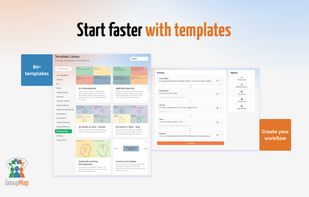
Facilitators can run workshops, training sessions, retrospectives, and planning meetings with 80+ built-in templates or custom activities. Sessions can open with in-app icebreaker games, and a Practice with Robots mode lets facilitators try each game before running it live. Participants stay focused and engaged through interactive steps that make collaboration simple and effective:
- Customizable session steps: build from 11 step types, including Context, Consent, Icebreaker, Brainstorm, Group, Rate, Vote, Position, Action, Survey, and Results
- Multiple voting styles: dot vote, like/dislike, rating, and scoring
- Facilitation controls: sync screens, lock maps, show or hide results, and control anonymity levels
- Rich ideas: paste images straight into ideas, and select and copy card text
- Results and reporting: word clouds plus instant export to PDF, CSV, or Excel
- No participant account required: join via link, invite code, or email
A refreshed interface and a guided Getting Started tutorial, with short how-to videos, help new users run their first session quickly.
Works for in-person, hybrid, and remote teams of 2 to 2,000. Designed for educators, facilitators, and organizations that want more inclusive discussions, better alignment, and decisions that stick. Enterprise-ready with SSO/SAML, SOC2-certified infrastructure, and GDPR compliance.







 jaypi added GroupMap as alternative to RetroGemini
 ducttapehero added GroupMap as alternative to MindMapGenius


 GroupMap



No comments or reviews, maybe you want to be first?