Gridova is a fully offline desktop workspace for organizing structured data — tables, relationships, schedules and insights — all stored privately on your own PC. No login, no cloud sync, no analytics, no ads. Your data never leaves your computer. One-time purchase, not a subscription.
KEY FEATURES
• Dynamic tables — number, text, date, formula and reference fields you shape yourself, including a running-balance field that carries down each row
• Linked menus & rollups — reference other tables, with sum and count rollups
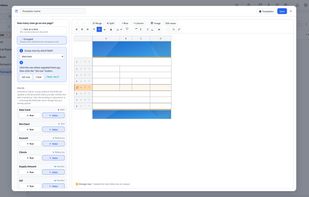
• Document forms — design your own print layouts (invoices, quotes, receipts) and fill them straight from your table data
• Smart analysis — turn raw rows into charts, summaries and trends with no formulas and no setup
• Calendar view — date fields, memos and schedules gathered into one calendar automatically
• Relationship graph — see at a glance how your tables reference each other
• Alerts — set a rule once ("notify me when a date nears or a number crosses a limit") and get both in-app and Windows desktop notifications
• Team collaboration without a server — hand out an Excel file, collect everyone's edits and merge them back in one screen; conflicting values are shown side by side so you decide what to keep, and nothing is overwritten silently
• Templates — 11 starting points (cash book, inventory, bookings, membership, projects and more), fully reshapeable, or start from a blank table
• Encrypted backup — one encrypted file restores on any PC
• Excel & PDF — Excel import/export, PDF report export with full Unicode/CJK support
• Light and dark themes, 7 interface languages
PRIVATE BY DESIGN
Everything you create stays in a local folder on your computer. Work offline. Own your data.
Requires Windows 10 (17763.0) or later. 7-day free trial, then a one-time purchase.






 dnwl8915 added Gridova as alternative to Ninox and LibreOffice - Base
 dnwl8915 added alternatives
 dnwl8915 added Gridova as alternative to Microsoft Office Access


 wjd
wjd 


No comments or reviews, maybe you want to be first?