


A simple PDF document viewer, in the lines of Evince but without using the Gnome libraries. ePDFView is a free lightweight PDF document viewer using Poppler and GTK+ libraries.


Google Docs Viewer is described as 'With Google Docs Viewer, you can quickly view many file types online, including PDFs, Microsoft Office files, and many image file types' and is a PDF Reader in the office & productivity category. There are more than 25 alternatives to Google Docs Viewer, not only websites but also apps for a variety of platforms, including Windows, Android, Mac, Linux and Android Tablet apps. The best Google Docs Viewer alternative is SumatraPDF, which is both free and Open Source. Other great sites and apps similar to Google Docs Viewer are Okular, Foxit PDF Reader, Evince and MuPDF.
A simple PDF document viewer, in the lines of Evince but without using the Gnome libraries. ePDFView is a free lightweight PDF document viewer using Poppler and GTK+ libraries.

EBookDroid is an open source (GPL'ed) document viewer for Android based on the VuDroid code base.


Xpdf is a free PDF viewer and toolkit, including a text extractor, image converter, HTML converter, and more. Most of the tools are available as open source.


Cloud-based PDF viewer and annotation tool for your browser. Perfect for Chromebook 1:1 schools. View, export, print and share your PDF files straight from your browser. Kami works on all browsers and works best with Google Chrome.


Take control of the way your ePubs display. Hyphen comes packed with a ton of options for custom colors, fonts, font sizes, line heights, paragraph indentations, margins - ...well, you get the idea. You can even use styling on a per-book basis.


SlimPDF Reader is a high quality PDF viewer that is only 1.5MB in size. Features and benefits:


PDF Reader Air is the ideal app for anyone who works with PDFs in the office or at home. Optimizing your work quality and productivity couldn’t be easier!.


BePDF is a PDF viewer for the BeOS, Haiku & Zeta. Besides viewing, it supports annotating and user-defined bookmarking for unencrypted PDFs. It's fully localized for 20 languages at the moment with additional languages being easily added via text files.
BePDF is based o.


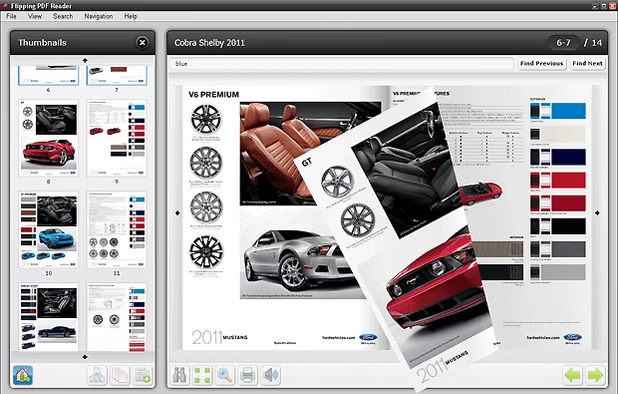
The Flipping PDF Reader allows to read PDF documents in user friendly interface with flipping book effect. Good looking and convenient alternative for Adobe PDF Reader.


DBook is a online service and solution to write large documents in a structured, collaborative and secure way.


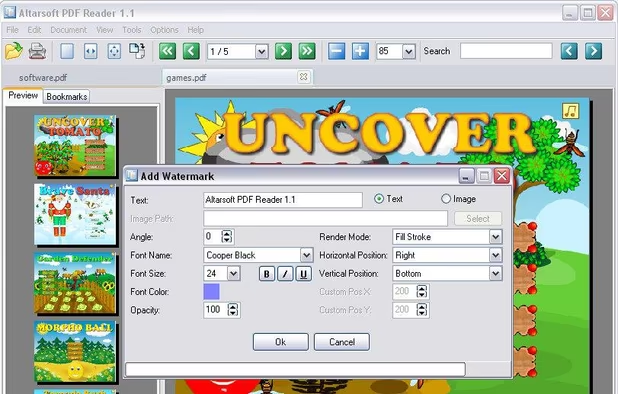
Altarsoft PDF Reader is a program for viewing and editing PDF files.
Main Features:


 Russia
 United States


 New Zealand


