

Glance - Face Unlock icon

Glance - Face Unlock

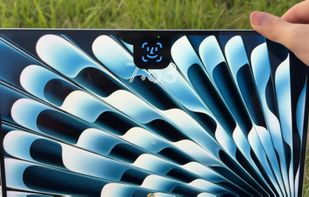
Glance brings the FaceID-like experience of your iPhone to a Mac near you. Unlock your Mac with a glance — no typing, no reaching for the TouchID key. Everything runs on-device using Apple's Vision and Core ML frameworks, so your face data and your Mac password never touch...
Glance - Face Unlock screenshot 1

Cost / License

  • Free
  • Open Source (MIT)

Platforms

  • Mac
0likes
0articles

Features

Properties

  1.  Privacy focused

Features

  1.  Works Offline
  2.  Dark Mode
  3.  Biometric Authentication
  4.  No Tracking
  5.  AES-256 Encryption
  6.  Ad-free
  7.  No registration required
  8.  AES Encryption

Glance - Face Unlock News & Activities

Highlights All activities

Recent activities

Glance - Face Unlock information

AlternativeTo Category

Security & Privacy

GitHub repository

  •  616 Stars
  •  38 Forks
  •  10 Open Issues
  •   Updated  
View on GitHub

Popular alternatives

View all
Glance - Face Unlock was added to AlternativeTo by Paul on and this page was last updated .
No comments or reviews, maybe you want to be first?

Official Links

What is Glance - Face Unlock?

Glance brings the FaceID-like experience of your iPhone to a Mac near you. Unlock your Mac with a glance — no typing, no reaching for the TouchID key. Everything runs on-device using Apple's Vision and Core ML frameworks, so your face data and your Mac password never touch the internet. The UI is built into your Macbook's notch with fluid dynamic island like animations.

Feature:

  • Face unlock: Triggers on wake, on lock, or on pressing space at the lock screen. Pick any combination.
  • Multiple identities: Enroll several people, or several versions of yourself — with glasses, a beard, different lighting. Toggle any of them off without deleting.
  • Liveness checks: Watches for the motion and reflections that separate a real face from a photo. Light or Heavy strictness, or off.
  • Notch UI: A closed pill that expands into a scan animation with success and failure states. Hover to retry — or turn animations off entirely and Glance stays invisible.
  • Camera & display: Choose which camera to use, including different cameras for the built-in display vs. an external monitor.
  • Auto-locking sessions: The Touch ID session re-locks itself after an idle period you choose, so an unattended Mac doesn't stay authorized forever.
  • Trackpad haptics: Hovering over the notch will trigger haptics
  • Notchless Mac support: Macs without a notch will be replaced with a pill-shape, dynamic island style design.
  • Your data, your call: Edit or delete your enrolment or stored password at any time. The encrypted files are removed immediately.
