Fraps Alternatives

Fraps is described as 'Universal Windows application that can be used with games using DirectX or OpenGL graphic technology. In its current form Fraps performs many tasks and can best be described as:' and is a very popular screenshot capture tool in the video & movies category. There are more than 50 alternatives to Fraps for a variety of platforms, including Windows, Linux, Mac, Web-based and Android apps. The best Fraps alternative is OBS Studio, which is both free and Open Source. Other great apps like Fraps are SimpleScreenRecorder, MSI Afterburner, Bandicam and VokoscreenNG.

Copy a direct link to this comment to your clipboard
Fraps alternatives page was last updated

Alternatives list

  1. SCREEN2EXE icon
     6 likes
    Copy a direct link to this comment to your clipboard

    SCREEN2EXE is a free utility designed in order to create instant screen demos with the highest compression ratio in the world!

    Cost / License

    • Free
    • Proprietary

    Application type

    Platforms

    • Windows
     
  2. Copy a direct link to this comment to your clipboard

    Free Screen Video Recorder is a compact, yet full-featured screen video recorder and screenshot capture tool that allows you to easily record screen activities and capture anything on the screen including windows, objects, menus, full screen and rectangular regions.

    153 Free Screen Video Recorder alternatives

    Cost / License

    • Free
    • Proprietary

    Platforms

    • Windows
     
  3. Screeny icon
     1 like
    Copy a direct link to this comment to your clipboard

    Screeny gives you the freedom to capture your videos or images at any size. You can click & drag to resize the capture area or input the exact pixel dimensions to set to the size of the capture area.

    Cost / License

    • Paid
    • Proprietary

    Platforms

    • Mac
     
  4. Demo Builder icon
     3 likes
    Copy a direct link to this comment to your clipboard

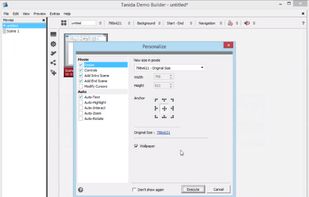
    Demo Builder is a powerful Flash-based screencasting tool that allows you to create eye-catching and professionally-looking interactive presentations that do not require any programming skills.

    Cost / License

    • Pay once
    • Proprietary

    Application type

    Platforms

    • Windows
     
  5. Hippo Video icon
     3 likes
    Copy a direct link to this comment to your clipboard

    Hippo Video is an online video platform to create explainer videos, educational videos, how-tos, training videos, customer testimonials, video assignments, video tutorials, host videos and a video marketing platform.

    Cost / License

    • Freemium (Subscription)
    • Proprietary

    Platforms

    • Online
    • Chrome OS
    • Google Chrome
     
  6. Camtica icon
     Like
    Copy a direct link to this comment to your clipboard

    Camtica is Screen Recording Software. It enables you to create professional screen recordings, presentations, tutorials and more. You can record any desktop activity with voice, webcam and animated mouse clicks.

    Cost / License

    • Paid
    • Proprietary

    Application type

    Platforms

    • Windows
     
  7. Copy a direct link to this comment to your clipboard

    FlashDemo Screen Recorder captures all screen activity from your Windows Desktop in real time and publishes as a Flash movie. Perfect for creating online tutorial, training & support videos, E-Learning material.

    Cost / License

    • Paid
    • Proprietary

    Platforms

    • Windows
     
  8. Copy a direct link to this comment to your clipboard

    oRipa Screen Recorder is a handy tool to record your Windows desktop activities in real time and save it as a video file. oRipa Screen Recorder also captures anything you can hear on your PC, such as, music and talking through the PCs microphone.

    Cost / License

    • Free
    • Proprietary

    Application type

    Alerts

    • Discontinued

    Platforms

    • Windows
     
  9. Copernicus icon
     2 likes
    Copy a direct link to this comment to your clipboard

    Shot Management - Copernicus doesnt just take screenshots, its a virtual photo gallery too. Take as many pictures as you like, then save them one at a time or all at once. Copernicus is perfect for taking many screenshots.

    Cost / License

    • Free
    • Proprietary

    Alerts

    • Discontinued

    Platforms

    • Mac
     
  10. Copy a direct link to this comment to your clipboard

    A tool for streaming video or game screen recording.

    Cost / License

    • Free
    • Proprietary

    Application type

    Platforms

    • Windows
     
You are at page 6 of Fraps alternatives