


Framous: Screenshot Frames
1 like
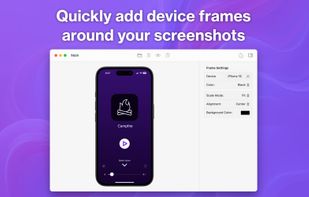
Framous is the easiest way to quickly add device frames around your screenshots! Drag and drop or copy and paste to throw your screenshots in and yank them back out perfectly set into device frames to make them look great.

Cost / License
- Freemium (Pay once)
- Proprietary
Application type
Platforms
- Mac


Features
Highlights All activities
Framous: Screenshot Frames News & Activities
Recent News
No news, maybe you know any news worth sharing?
Share a News Tip
Recent activities
 Danilo Venom added Framous: Screenshot Frames as alternative to Storeboard, Sukuji and ASO.dev
 leifiyoo added Framous: Screenshot Frames as alternative to Project Camera
 leksa13 added Framous: Screenshot Frames as alternative to MockItReal
 Danilo Venom added Framous: Screenshot Frames as alternative to Mockraft
 Hano added Framous: Screenshot Frames as alternative to Hano
 fakecam added Framous: Screenshot Frames as alternative to LookFrame
 neferent added Framous: Screenshot Frames as alternative to Snipfolio
 The Void added Framous: Screenshot Frames as alternative to DoneAssets
 Paul added Framous: Screenshot Frames as alternative to BeautyShot
 Paul added Framous: Screenshot Frames as alternative to Screenshot Studio


Developed by
 Dark Noise LLC
 Licensing
Proprietary and Freemium product.Pricing
One time purchase (perpetual license) ranging between $10 and $20 + free version with limited functionality.Alternatives
60 alternatives listedBadge
Get an embeddable badge for Framous: Screenshot FramesSupported Languages


No comments or reviews, maybe you want to be first?