




Project Camera
Like
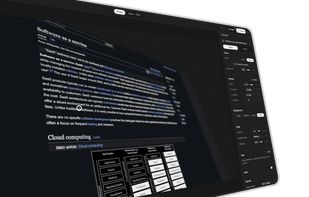
Turn any screenshot into a polished, professional image. Project Camera is a free, private photo studio that runs entirely in your browser.

Cost / License
- Free
- Open Source (GPL-3.0)
 EU
EUPlatforms
- Online

Features
Project Camera News & Activities
Highlights All activities
Recent activities
- leifiyoo added Project Camera
 leifiyoo added Project Camera as alternative to Hano, Screenshot.rocks, Better Shot, ShotLab and 4 more
Project Camera information
Developed by
 leifiyo
 Licensing
Open Source (GPL-3.0) and Free product.Pricing
One time purchase (perpetual license).Written in
Alternatives
8 alternatives listedBadge
Get an embeddable badge for Project CameraSupported Languages

AlternativeTo Category
Photos & GraphicsGitHub repository
- 0 Stars
- 0 Forks
- 3 Open Issues
- Updated


No comments or reviews, maybe you want to be first?