Snapz Pro X allows you to effortlessly record anything on your screen, saving it as a QuickTime® movie or screenshot that can be e-mailed, put up on the web, or passed around however you want.


FocuSee is described as 'A screen recorder comes with automated editing. Automatically track cursor movement, apply dynamic zoom and click effects, add a pleasant background, and generate a professional-looking video/gif that is ready to use' and is a Screen Recorder in the photos & graphics category. There are more than 100 alternatives to FocuSee for a variety of platforms, including Windows, Mac, Web-based, Linux and Google Chrome apps. The best FocuSee alternative is OBS Studio, which is both free and Open Source. Other great apps like FocuSee are OpenScreen, ScreenArc, SimpleScreenRecorder and Recordly.
Snapz Pro X allows you to effortlessly record anything on your screen, saving it as a QuickTime® movie or screenshot that can be e-mailed, put up on the web, or passed around however you want.


Screenflick features high performance screen capturing for smooth, fluid motion up to 60 fps. Screenflick can record any portion of the screen, simultaneously recording audio from internal or external microphones and the system audio.


Capture HD video at 60 FPS, record iOS devices, and edit screen or image content with annotation, voiceover, and advanced file management. Includes fullscreen, selection, and web capture, quick sharing to cloud, FTP, YouTube, and fast search for Mac users.


BSR Screen Recorder captures video, sound, and pictures of anything you see on your screen and records to AVI (Standard Video Format), SWF (Flash File), WMV (Windows Media Video), and EXE (Executable File). Any portion of the screen can be selected for recording.


Seamlessly record your Mac's screen, microphone and camera. Edit your recordings and share them as movie or animated GIF/PNG.


Annotate videos with captions, arrows, custom images, outlines, blackout shapes, background audio and free form drawings.


Hippo Video is an online video platform to create explainer videos, educational videos, how-tos, training videos, customer testimonials, video assignments, video tutorials, host videos and a video marketing platform.
Capture screenshots, annotate, and share a link where your team pins feedback directly on the image — no sign-up needed for reviewers.


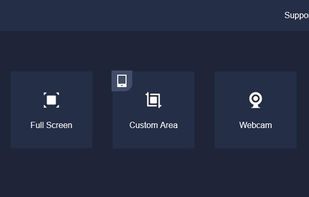
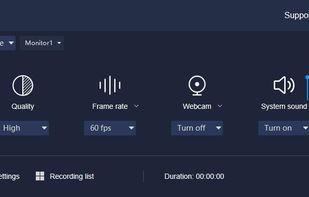
Record screen and webcam in HD videos with no watermark. Simultaneously or separately record from system sounds and microphone. Support recording editing and real-time annotation.


With PasteKit, just record then paste video, images, sound directly into your audio/video editing software. Works out-of-the-box, no extra setup needed.