


FLauncher (osrosal's fork)
3 likes
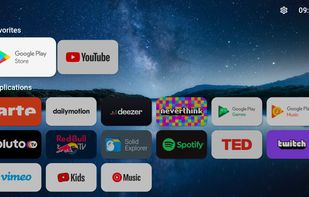
FLauncher is an open-source alternative launcher for Android TV, built with Flutter. This is a fork of the GitLab repository at: https://gitlab.com/flauncher/flauncher.

Cost / License
- Free
- Open Source (GPL-3.0)
Application type
Platforms
- Android
- Android TV


Features
FLauncher (osrosal's fork) News & Activities
Highlights All activities
Recent activities
 jim smartago added FLauncher (osrosal's fork) as alternative to Premium TV Launcher UI (PLUI)
 Darlene Sonalder added FLauncher (osrosal's fork) as alternative to Kyu Launcher
 Darlene Sonalder added FLauncher (osrosal's fork) as alternative to Dispatch Launcher
 Darlene Sonalder added FLauncher (osrosal's fork) as alternative to Arc Launcher (AndroidTV)
 Darlene Sonalder added FLauncher (osrosal's fork) as alternative to LeanbackLauncher
- jacobnicked liked FLauncher (osrosal's fork)
 Darlene Sonalder added FLauncher (osrosal's fork) as alternative to ATV Launcher Pro
 Paul added FLauncher (osrosal's fork) as alternative to AT4K Launcher
 Emin added FLauncher (osrosal's fork) as alternative to LTvLauncher
- niksavc liked FLauncher (osrosal's fork)


FLauncher (osrosal's fork) information
Developed by
Oscar RojasLicensing
Open Source (GPL-3.0) and Free product.Alternatives
11 alternatives listedBadge
Get an embeddable badge for FLauncher (osrosal's fork)Supported Languages
AlternativeTo Category
OS & UtilitiesGitHub repository
- 293 Stars
- 29 Forks
- 34 Open Issues
- Updated
Featured in Lists
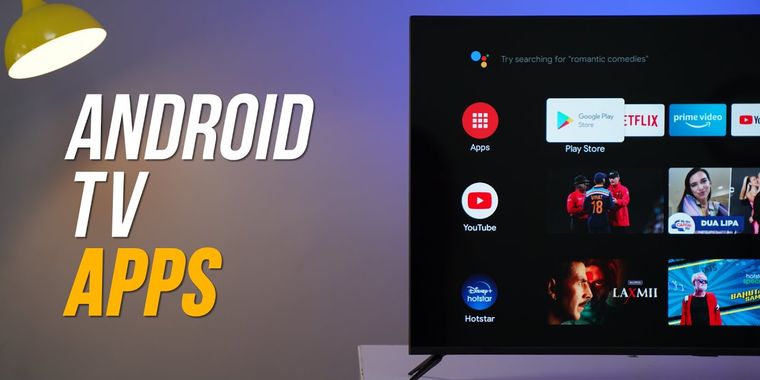


The Ultimate Android/Google TV Setup
If you are on Android TV here is some apps to upgrade to a better experience, from launcher to stores, tools from alternatives clients you will have everything you need
Thumbnail from Beebom https://www.youtube.com/@beebomco


SAY GOODBYE TO BIG COMPANIES WITH THESE ALTERNATIVES
Throughout the years, we have been relying on big companies like Google, Microsoft, Meta and others to give us access to their products to use our computers and phones, communicate on the online web, and store our files. However, as things have gotten worse with the years and the rise of gen-AI only making things worse, people are starting to question if they can even move to new services. However, the journey can be hard and there are so many options that non-tech savvy people are going lose patience and give up.
That is why I made this long and comprehensive list of mostly open-source alternatives to different things from computer OS, social media, to even TV. Many things are easy to move to, others are for more tech-savvy people, and this list doesn't even have all of the available options in any category! However, this is a great first step into trying new things and to slowly move away from big tech. You don't need to do it all at once, go step by step, decide if there are some services you can't stop using and which ones could use a switch and have fun!
No comments or reviews, maybe you want to be first?