files.co PDF Suite icon

files.co PDF Suite

Files.co PDF Suite for your desktop. 15 PDF tools as a native app, with its own viewer, tabs and annotations. Every operation runs on your computer — no uploads, no accounts, no internet required.
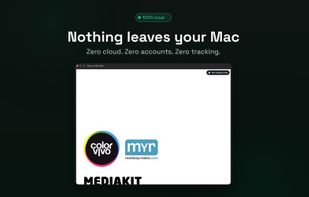
files.co PDF Suite screenshot 1

Cost / License

  • Freemium (Pay once)
  • Proprietary

Application type

Platforms

  • Mac
  • Windows
  • Online
0likes
0comments
0articles

Features

Properties

  1.  Privacy focused

Features

  1.  Built-in viewer
  2.  Combine PDF
  3.  No Tracking
  4.  PDF compression
  5.  Dark Mode
  6.  Split PDF files
  7.  PDF encryption
  8.  No registration required
  9.  Export to PDF
  10.  Pdf unlock

files.co PDF Suite News & Activities

Highlights All activities

Recent activities

files.co PDF Suite information

  • Developed by

    ES flagColor Vivo Internet, SL
  • Licensing

    Proprietary and Freemium product.
  • Pricing

    One time purchase (perpetual license) that costs $9 + free version with limited functionality.
  • Alternatives

    38 alternatives listed
  • Supported Languages

    • English
    • Dutch
    • French
    • German
    • Italian
    • Portuguese
    • Spanish
files.co PDF Suite was added to AlternativeTo by dcarrero on and this page was last updated .
No comments or reviews, maybe you want to be first?

What is files.co PDF Suite?

Files.co PDF Suite is the fastest, most private way to work with PDFs on macOS. 15 professional tools, a tabbed viewer and annotations — and everything happens 100% on your device. No file is ever uploaded to the cloud. Ever.

? 15 PDF TOOLS Merge multiple PDFs into one. Split and extract pages. Compress to shrink file size. Rotate, crop and reorder pages. Convert images to PDF and export a PDF to images (PNG/JPG). Extract text. Add page numbers, headers and footers, watermarks and bookmarks. Protect with a password and unlock.

? TABBED VIEWER Open several PDFs at once in tabs, just like a browser. Drag a tab out to move it into its own window. Thumbnails, document outline and built-in text search.

? ANNOTATE Highlight, underline, strike through, add notes, text and freehand drawings with a color palette. Annotations are saved inside the PDF. Reading mode helps you focus, distraction-free.

? 100% LOCAL & PRIVATE All processing happens on your device with a native engine. No servers, no accounts, no data collected. Your documents never leave your computer — perfect for invoices, contracts and sensitive files.

? FINDER INTEGRATION Right-click a PDF to compress, merge, open or extract its text straight from the Services menu, without opening the app.

? NATIVE, FAST & FREE Universal native app (Apple Silicon and Intel), available in 7 languages. Free, no ads, no account.

Official Links