


File Find
1 like
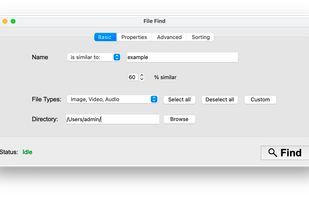
A macOS file search utility that helps you find files easier.

Cost / License
- Free
- Open Source (GPL-3.0)
Application type
Platforms
- Mac
- Windows
- Linux


Features
Highlights All activities
File Find News & Activities
Recent activities
 Paul added File Find as alternative to QuickKeyLauncher
 Pixel-Master added File Find as alternative to Cardinal File Search
 Pixel-Master added File Find as alternative to ProFind and Cling Fuzzy Finder
- Pixel-Master updated File Find


Developed by
 Pixel-Master
 Licensing
Open Source (GPL-3.0) and Free product.Written in
Alternatives
58 alternatives listedBadge
Get an embeddable badge for File FindSupported Languages

AlternativeTo Category
File ManagementGitHub repository
- 307 Stars
- 14 Forks
- 0 Open Issues
- Updated


No comments or reviews, maybe you want to be first?