


Figma
Figma is a web-based platform offering a robust set of tools for vector graphics editing and prototyping, along with offline desktop apps for seamless workflows. Designed specifically for UI and UX design, it emphasizes real-time collaboration, visual versioning, and vector networks to streamline the designer's work.

Cost / License
- Freemium (Subscription)
- Proprietary
Application types
Platforms
- Mac
- Windows
- Online
- Chrome OS
- Software as a Service (SaaS)
- Android
- Android Tablet
- iPhone
- iPad


Features
- Prototyping
- UI Design

- Cross-Platform
- Wireframing
- Export to SVG
- Brainstorming
- Cloud Sync
- Support for Layers
- Design handoff
- Create UI Components
- Auto Layout
- Embedded comments
- Interactive Prototyping
- Dark Mode
- Extensible by Plugins/Extensions
- Transitions Effects
- Works Offline
- Export to PDF
- Live Preview
- File Versioning
- Smart Animate
- Automatic Backup
- Ad-free
- Real time collaboration
- Automatic Alignment
- Shared whiteboard
- Color Picker
- Export to PNG

Figma News & Activities
Recent News
- Maoholguin published news article about Figma
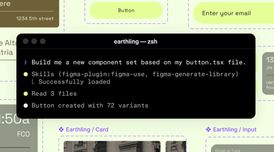 Figma opens direct AI agent design on canvas, introduces skills for guided workflows
Figma now lets AI coding agents design directly inside Figma files through its MCP server, so they ...
- Maoholguin published news article about Figma
 Figma and Anthropic launch Code to Canvas for editable AI-generated designs in Figma
Figma and Anthropic have partnered to launch Code to Canvas, a feature that lets users send AI gene...
- POX published news article about Figma
 Figma now lets you vectorize raster images rasily for instant image-to-vector conversion
Figma has launched Vectorize, a major new feature that lets users convert raster images directly in...


Recent activities
 ResumeCraft added Figma as alternative to ResumeCraft
 mnewlive added Figma as alternative to Slidy Creator
- paulsiccha liked Figma


Featured in Lists

There is no doubt that Adobe Suite is great, even in some case it's probably the best. But you can be mad …
For quite a long time, I've been looking into entirely ditching [Adobe Creative …

Spoiler: I've switched to Linux for my main computer.
What is Figma?
Figma is a vector graphics editor and prototyping tool which is primarily web-based, with additional offline features enabled by desktop applications for macOS and Windows. The Figma Mirror companion apps for Android and iOS allow viewing Figma prototypes in real-time on mobile devices. The feature set of Figma focuses on use in user interface and user experience design, with an emphasis on real-time collaboration.
Figma has a companion app for iOS and Android called  Figma Mirror, which allows you to easily preview designs on mobile devices with Figma Mirror.
FEATURES
- Real-time collaboration for team and client communication.
- Full-featured vector graphic manipulation.
- Vector networks simplify edits by letting you drag-and-drop lines instead of individual vector points.
- Visual versioning to quickly compare between versions.
- Works in browser and on desktop with downloadable apps.
- Import projects from
 Sketch


Figma information
Developed by
 Figma
Figma Licensing
Proprietary and Freemium product.Pricing
Subscription ranging between $12 and $15 per month + free version with limited functionality.Rating
Average rating of 4.3Alternatives
106 alternatives listedNews
54 news article related to FigmaSupported Languages
- English
- Japanese
AlternativeTo Categories
Photos & Graphics, Backup & Sync, Business & Commerce, Development, Office & Productivity, Remote Work & EducationApple AppStore
- Updated
- 4.63 avg rating


Comments and Reviews
Extremely intuitive app, great to do high fidelity prototypes without the features overkill of an Adobe app.
After becoming almost a monopolist on a market for such apps, they are now actively engaging in bait & switch tactic: First, they removed the collaborative element from the free plan. To have more than 1 editor you are now have to create a team and pay them $15/mo. Being quite bad at building non-linear flows, they made a fix, but also paywalled it. Now they paywalled the feature that was there from the very beginning. The inspect mode (upgraded and renamed to Devmode). Oh and as people mentioned before: it is online only, has no Linux native client despite being an Electron.
Top of the top) I like it, using every day for work tasks
I like it! The best app for design
De-facto industry standard, but the pricing is classic monopoly abuse. It deliberately pushes you to the $190/seat plan by removing essential functions and/or making available things harder.
Update: Figma's billing practices is borderline scam. I was literally charged 3 times for 1 month of 1 Professional seat. The support is silent OF COURSE.
Figma is pretty good for UI and UX. with a large community it's easy to find templates and inspiration.
Figma = fire. Learned it in no time
you should try the Penpot