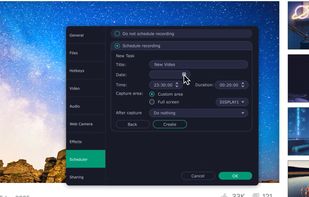
Grab screenshots in a stealth mode, and start the capturing process at a user-defined time with the help of this simple to use and efficient software tool.


FFsplit is described as 'A freeware application that lets users stream high quality content similar to XSplit Broadcaster and Flash Media Live Encoder. Currently, the application is in early stages of development. This project is actively looking for dedicated testers' and is a Live Streaming tools and service in the video & movies category. There are more than 100 alternatives to FFsplit for a variety of platforms, including Windows, Mac, Web-based, Linux and Google Chrome apps. The best FFsplit alternative is OBS Studio, which is both free and Open Source. Other great apps like FFsplit are ShareX, Greenshot, GPU Screen Recorder and Bandicam.
Grab screenshots in a stealth mode, and start the capturing process at a user-defined time with the help of this simple to use and efficient software tool.


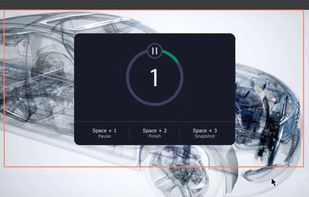
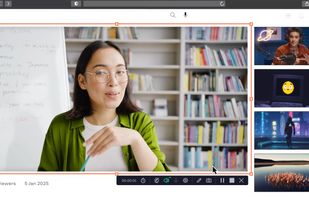
Record full screen or customized areas with webcam options. Annotate in real time, highlight cursor actions, and record both system and voiceover audio. Ideal for creating instructional videos, webinars, and presentations. Free for personal use, compatible with PCs.


Screencast Capture Lite is a tool to continuously capture the desktop screen, storing this information in video files. The application supports recording from the primary screen, from a chosen window or from a fixed region.

Capture, Customize, and Share Effortlessly with PixEase. We understand the value of your time, which is why we've designed our app to make the process of creating stunning visuals quick and seamless.


MWSnap is a small yet powerful Windows program for snapping (capturing) images from selected parts of the screen.


Snipboard (previously known as Snaggy) is an image host that lets you quickly paste and share images from your clipboard directly online.


Hotshots is a screenshot tool with some editing features. It is particularly suitable for writing documentation (as used in the following chapters) but you can use it to highlight some details on a map image or what ever you want.


This application allows you to capture the entire screen, the active window or a selected region. You can set the delay that elapses before the screenshot is taken and the action that will be done with the screenshot: save it to a PNG file, copy it to the clipboard, open it...