FFmpeg Alternatives

FFmpeg is described as 'Cross-platform multimedia framework performing decoding, encoding, transcoding, muxing, demuxing, streaming, filtering, and playback for nearly all media formats' and is a leading Audio Converter in the audio & music category. There are more than 100 alternatives to FFmpeg for a variety of platforms, including Windows, Mac, Linux, Web-based and Android apps. The best FFmpeg alternative is HandBrake, which is both free and Open Source. Other great apps like FFmpeg are Avidemux, MKVToolnix, Shutter Encoder and Video Compression.

Copy a direct link to this comment to your clipboard
FFmpeg alternatives page was last updated

Alternatives list

  1. Videoer icon
     1 like

    A powerful video format conversion tool that supports mutual conversion between MP4, MKV, M4V, MOV, WEBM, AVI, GIF, and other formats.

    Cost / License

    • Freemium
    • Proprietary

    Application type

    Platforms

    • Mac
     
  2. Compress videos up to 80% smaller with no visible quality loss. SVT-AV1 & VP9 engines, 100% offline, privacy-first. Windows & macOS.

    Cost / License

    Platforms

    • Mac
    • Windows
     
  3. Cloud-based FFmpeg REST API with usage-based pricing. Run any FFmpeg command on dedicated high-performance infrastructure and pay per GB processed.

    Cost / License

    • Paid
    • Proprietary

    Platforms

    • Online
     
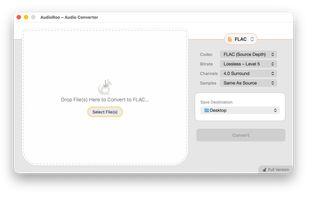
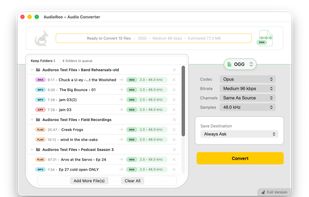
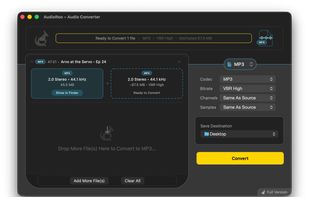
  4. Aura is your professional audio converter, designed exclusively for Apple users who value simplicity, privacy, and quality. With a clean interface and on-device processing, Aura makes it effortless to convert your audio files—whether for work, study, or creative projects.

    Cost / License

    • Freemium
    • Proprietary

    Application type

    Platforms

    • Mac
    • iPhone
    • iPad
     
  5. A powerful batch video compressor for Windows. Reduce video size by up to 90% with zero quality loss. Process thousands of files in one click using hardware acceleration and a clean, modern UI.

    Cost / License

    • Freemium
    • Proprietary

    Platforms

    • Windows
     
  6. Consul automatically converts files when you change their extension. Rename IMG_0073.HEIC to IMG_0073.jpg and the file is instantly converted to a JPEG file – works with images, videos, audio, and more.

    Cost / License

    • Paid
    • Proprietary

    Platforms

    • Mac
    • Homebrew
     
  7. FFmpeg-powered desktop tool.

    Cost / License

    • Free Personal
    • Proprietary

    Platforms

    • Windows
     
  8. EditKits icon
     Like

    EditKits is a fast, cloud-based platform to automate, edit and process - videos, audio, and images online using simple tools or powerful APIs. Trim, crop, overlay, compress, generate captions, and and do a hundred more things with your entire media workflow - all in one place.

    Cost / License

    • Freemium
    • Proprietary

    Application type

    Platforms

    • Online
     
  9. AVI-Core icon
     Like

    AVI-Core is a lightweight, open-source media toolkit for Windows that provides fast image, video, and audio utilities through both a command-line interface and Windows Explorer context-menu integration.

    Cost / License

    • Free
    • Open Source (MIT)

    Platforms

    • Windows
     
  10. VideoRoast is a video converter and compressor for Mac and Windows. Batch-convert clips between 8 formats with hardware acceleration, entirely on your own machine. VideoRoast is included in every getapps.cafe subscription.

    Cost / License

    • Paid
    • Proprietary

    Application type

    Platforms

    • Mac
    • Windows
     
  11. HD Video Converter Factory Pro is a Windows program that helps you convert videos to different formats so they can play on all kinds of devices. It supports a wide range of file types, including MP4, MKV, AVI, MOV, and more.

    Cost / License

    • Paid
    • Proprietary

    Platforms

    • Windows
     
You are at page 10 of FFmpeg alternatives