Exocet Alternatives

Exocet is described as 'Creates a Folder on your System. This Folder appears or hides when you use a special for this case formatted USB Storage Key. The Data is encrypted on the System and save with cascading AES encryption' and is an app in the security & privacy category. There are more than 50 alternatives to Exocet for a variety of platforms, including Windows, Linux, Mac, Android and Android Tablet apps. The best Exocet alternative is VeraCrypt, which is both free and Open Source. Other great apps like Exocet are TrueCrypt, LUKS, Axcrypt and Windows BitLocker.

Copy a direct link to this comment to your clipboard
Exocet alternatives page was last updated

Alternatives list

  1. Challenger icon
     7 likes

    Challenger is a software for the encoding of files, folders and drives. For the installation and for the execution simple user rights suffice. Thereby the program is mobil usable on an USB flash drive too.

    Cost / License

    • Free Personal
    • Proprietary

    Application type

    Platforms

    • Windows
     
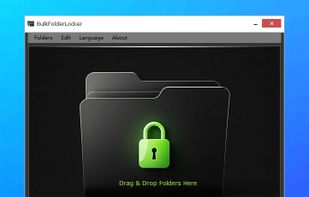
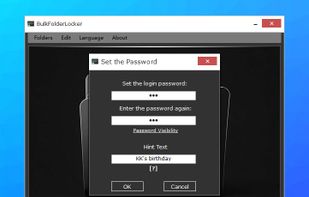
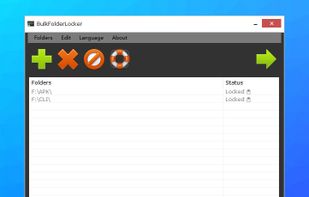
  2. Lightweight Windows software enabling batch locking and unlocking of multiple local folders to prevent unauthorized access, reading, or deletion; folders become inaccessible from File Explorer, command line, or network shares, ensuring privacy and security for user data.

    Cost / License

    • Free
    • Proprietary

    Platforms

    • Windows
     
  3. FinalCrypt icon
     5 likes

    FinalCrypt uses the most unbreakable encryption: "One Time Pad" Encryption and has a well designed graphical user interface and an equally advanced command line interface for large automations.

    Cost / License

    • Free
    • Open Source

    Alerts

    • Discontinued

    Platforms

    • Mac
    • Windows
    • Linux
     
  4. LibreCrypt icon
     14 likes

    LibreCrypt (formerly DoxBox) is an open-source disk encryption for Windows and the successor of FreeOTFE

    Cost / License

    • Free
    • Open Source

    Application type

    Alerts

    • Discontinued

    Platforms

    • Windows
     
  5. The Gnome Encfs Manager is an easy to use manager and mounter for encfs stashes. It allows you to create encrypted directories, any file that is placed in such a directory will be encrypted.

    Cost / License

    Platforms

    • Linux
    • GNOME
     
  6. If your computer were ever to be stolen, are you certain that your personal information cannot be discovered? Jetico’s BestCrypt software automatically encrypts your files so that nobody can read the data unless they have the right password or keys.

    Cost / License

    • Paid
    • Proprietary

    Platforms

    • Mac
    • Windows
    • Linux
     
  7. Luks manager icon
     9 likes

    LUKS Manager provides on-the-fly encryption (AES by default) to virtual folders on Android devices.

    Cost / License

    • Free
    • Open Source

    Application type

    Alerts

    • Discontinued

    Platforms

    • Android
     
  8. EncFSMP icon
     10 likes

    EncFSMP, a program to mount EncFS folders on Windows and OS X.

    Cost / License

    • Free
    • Open Source

    Application type

    Platforms

    • Mac
    • Windows
     
  9. Fast and simple encryption / folder locking tool.

    Features:

    • Setting password to folders & files.
    • Encrypting files & folders.
    • Encrypting files & folders names.
    • Automatic closing of files and folders locking processes.
    • Fast and multi-threaded operation.

    Cost / License

    • Free
    • Open Source

    Alerts

    • Discontinued

    Platforms

    • Windows
     
  10. This app eases the use of mounting (loading) encrypted partitions (also called Volumes), a disk drive may consist of several of those areas, usually represented by a drive letter.

    Cost / License

    • Free
    • Proprietary

    Application type

    Platforms

    • Windows
     
  11. Unicode Crypter is a portable tool that encrypts and decrypts any Unicode character from 1 to 1114111!

    Cost / License

    • Free
    • Proprietary

    Platforms

    • Windows
     
You are at page 3 of Exocet alternatives