





Espresso File Search
Like
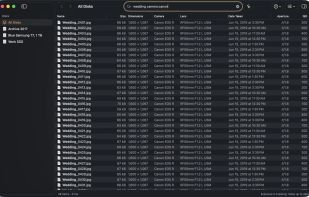
Espresso is an instant file search app for macOS that works by indexing your entire disk/disks (inspired and syntax-compatible with Everything by voidtools).

Cost / License
- Freemium (Pay once)
- Proprietary
 EU
Since
- New
Platforms
- Mac


Features
Highlights All activities
Espresso File Search News & Activities
Recent activities
- Gianni135 added Espresso File Search
 Gianni135 added Espresso File Search as alternative to Everything, HoudahSpot, FSearch, Find Any File and 11 more

Developed by
 Moka Solutions
Licensing
Proprietary and Freemium product.Pricing
One time purchase (perpetual license) that costs $19 + free version with limited functionality.Alternatives
15 alternatives listedBadge
Get an embeddable badge for Espresso File SearchSupported Languages


No comments or reviews, maybe you want to be first?