





Durupin PDF Translator
Like
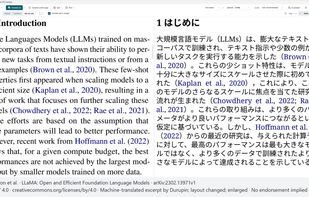
Durupin PDF Translator translates PDFs, documents, pictures, and SRT/VTT subtitles with AI running on your Windows PC. Translation and OCR are included, so you can translate offline without uploading documents.

Cost / License
- Pay once
- Proprietary
Since
- New


Features

Highlights All activities
Durupin PDF Translator News & Activities
Recent activities
- Durupin added Durupin PDF Translator
- Durupin updated Durupin PDF Translator
- Durupin updated Durupin PDF Translator
- Durupin updated Durupin PDF Translator
- Durupin updated Durupin PDF Translator
- Durupin updated Durupin PDF Translator
 Durupin added Durupin PDF Translator as alternative to DeepL Translator, Google Translate, Microsoft Translator, Adobe Acrobat DC and 2 more
Developed by
DurupinLicensing
Proprietary and Commercial product.Pricing
One time purchase (perpetual license) that costs $20.Alternatives
6 alternatives listedBadge
Get an embeddable badge for Durupin PDF TranslatorSupported Languages



No comments or reviews, maybe you want to be first?