


DriverPack Solution
59 likes
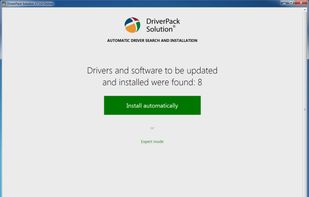
DriverPack Solution is a popular program that makes the job of finding and automatically installing drivers a pleasure.


Bundleware
Contains Yandex.Elements and other ad applications.
Warning
Reported bundleware, may contain malware: https://www.virustotal.com/en/file/27378c5c72ed4f4013c94824a7685bbcfe3c839b56736b2fa47c366413b5aa54/analysis/

Features
Highlights All activities
DriverPack Solution News & Activities
Recent News
No news, maybe you know any news worth sharing?
Share a News Tip
Recent activities
- Info-Aggregator updated DriverPack Solution
 TechyGeeksHome-Andrew-Arm added DriverPack Solution as alternative to DriverGeek
- b9wzo9tz liked DriverPack Solution





not recommended
Stuff to avoid.


Driver Updates
A list with 7 apps by Shojimeguro without a description.


Programas Essenciais
Kaspersky
Developed by
 Artur Kuzyakov
Licensing
Proprietary and Free product.Rating
Average rating of 2Alternatives
42 alternatives listedBadge
Get an embeddable badge for DriverPack SolutionSupported Languages



Comments and Reviews
Tried to download it today and it gave me a nasty surprise. 360 antivirus, opera and other adware bundleware or whatever you wanna call it i needed an hour scanning for anything bad being leftover and used revo uninstaller to remove all that junk.
use to be a decent software if this is the one im thinking of, now all it did was as stated install crapware, it installed chrome, opera and the facebook app which i now feel like reinstalling windows just to make sure no traces of that junk exist on my computer. do not use this useless software.
I wish I would have done research before trying this. It took 7 hours before I just canceled because it made my pc unusable. Well I stii have crap they installed all over my system including a bunch of startup programs I've never seen. DO NOT USE!!!!!
A few years ago for me the best, now I prefer anothers. Right now is ultra slow (with ssd) and buggy. Is not usable for me. What happen in latest updates?
I installed the program on a virtual machine and it actually has viruses. Even the Windows 10 antivirus recognized it as a suspicious program. If you download the file and play it on virustotal you will see several programs treating it as a virus.
In addition it installs WITHOUT ANY WARNING SCREEN the browser operates and requires 50 minutes of update or installation to start up. Obviously it is actually dominating your computer.
Seems like scam software to me. Asks nothing, explains nothing about what it's doing, does things that seem completely off-topic for its intended function, seems to just tell you some comforting lies while doing fishy things, has a very dominating GUI.
TLDR: something this fishy shouldn't even be on this site.
This program really helps me out. Especially when I buy something new for a computer and I need a driver.