


Ninja Download Manager
19 likes
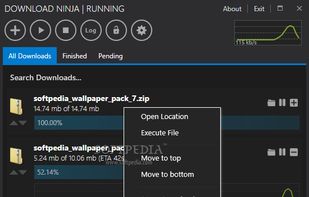
Ninja Download Manager is an Internet download manager and accelerator that dramatically increases download speed and allows you to resume and restart stopped / broken downloads.

Platforms
- Mac
- Windows
- Google Chrome
- Firefox


Discontinued
last updated: build 33 (June 19 2015)https://ninjadownloadmanager.com/changelog/

Features
Highlights All activities
Ninja Download Manager News & Activities
Recent activities
 cel added Ninja Download Manager as alternative to FluxDown
 lagged added Ninja Download Manager as alternative to Bengal Download Manager
 Srijan-Saswat added Ninja Download Manager as alternative to NovaDL
 albilu added Ninja Download Manager as alternative to Open Download Manager
 Themba Ngobeni added Ninja Download Manager as alternative to Apex Download Manager
 ntedav added Ninja Download Manager as alternative to Maxilloscope
 Muzammil-Ijaz added Ninja Download Manager as alternative to ODM — Open Download Manager
 M-d-Nurnobi-Islam-Ether added Ninja Download Manager as alternative to DownGo
 babi007 added Ninja Download Manager as alternative to Mac Download Manager
 cel added Ninja Download Manager as alternative to FlameGet


Developed by
 KnockoutSoft Ltd.
 Licensing
Proprietary and Freemium product.Pricing
One time purchase (perpetual license) ranging between $19 and $49 + free version with limited functionality.Alternatives
57 alternatives listedBadge
Get an embeddable badge for Ninja Download ManagerSupported Languages


Download Managers
A list with 5 apps by tiger9 without a description.


My list
A list with 16 apps by MrLangley without a description.
No comments or reviews, maybe you want to be first?