Dondurma icon
Dondurma icon

Dondurma

A premium, open-source RSS/Atom feed reader built with Flutter and Material 3. Cross-platform, private, and algorithm-free.
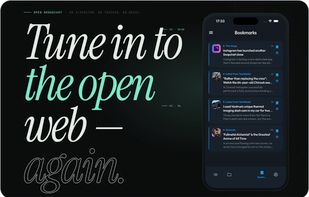
Dondurma screenshot 1

Cost / License

  • Free
  • Open Source (MIT)

Application type

Platforms

  • Android
  • iPhone
  • Android Tablet
  • iPad
3likes
0comments
0articles

Features

Properties

  1.  Support for Themes
  2.  Privacy focused
  3.  Customizable

Features

  1.  No registration required
  2.  No Tracking
  3.  Import/Export OPML Feeds
  4.  Ad-free
  5.  Works Offline
  6.  Dark Mode
  7.  Save Articles
  8.  Built-in Ad-blocker
  9.  Integrated Search

Dondurma News & Activities

Highlights All activities

Recent activities

Dondurma information

  • Developed by

    TR flagDevOpen
  • Licensing

    Open Source (MIT) and Free product.
  • Alternatives

    51 alternatives listed
  • Supported Languages

    • English
    • Turkish

AlternativeTo Category

News & Books

GitHub repository

  •  5 Stars
  •  0 Forks
  •  0 Open Issues
  •   Updated  
View on GitHub
Dondurma was added to AlternativeTo by Paul on and this page was last updated .
No comments or reviews, maybe you want to be first?

What is Dondurma?

Dondurma (Turkish for "ice cream") is a beautifully crafted, open-source RSS/Atom feed reader that puts you in control of your news consumption. Built with Flutter and Material 3 design principles, it delivers a premium reading experience across Android, iOS, Web, Windows, macOS, and Linux.

No algorithms. No tracking. Just your feeds, your way.

Features:

Feed Management

  • RSS & Atom Support — Subscribe to any RSS 2.0 or Atom feed
  • Category & Folder Organization — Group your feeds into custom categories with emoji icons
  • OPML Import/Export — Easily migrate from other readers or share your subscriptions
  • Feed Discovery — Curated list of suggested feeds to explore new content
  • Per-Feed Keyword Filtering — Exclude articles containing unwanted keywords
  • Global Content Filtering — Define excluded keywords that apply across all feeds

Reading Experience

  • Beautiful Article Viewer — Full-screen article reading with image carousels
  • Swipe Navigation — Swipe between articles with fluid PageView transitions
  • Full-Text Extraction — Automatically extract complete articles from excerpt-only feeds
  • Reading Progress Tracking — Resume reading right where you left off
  • Estimated Reading Time — Know how long an article will take before diving in
  • Search & Search History — Find articles quickly with persistent search suggestions

Theming & Customization

  • 10 Color Schemes — Material, Blue, Indigo, Deep Purple, Sakura, Red, Teal, Green, Amber, and Outer Space — powered by FlexColorScheme
  • 3 Brightness Modes — System, Light, and Dark for each color scheme
  • Google Fonts (Outfit) — Premium typography throughout the app
  • iOS-Style Scroll Physics — Buttery-smooth bouncing scroll on all platforms

Display & Readability

  • Font Size — Choose from Small, Medium, Large, or Extra Large
  • Typeface — Switch between System, Serif, Sans-Serif, and Mono
  • Line Spacing — Tight (1.2), Normal (1.5), or Relaxed (1.8)

In-App Browser

  • Built-in WebView — Read articles without leaving the app
  • Ad Blocker — EasyList + AdGuard filter-based ad blocking with toggle
  • WebView Dark Mode — Force dark mode in the in-app browser
  • External Browser Option — Choose between built-in, external, or system browser

Notifications & Background Sync

  • New Article Alerts — Get notified when new articles arrive in your subscribed feeds
  • Quiet Hours — Silence notifications during specified time windows
  • Digest Mode — Configure how notification summaries are delivered (Instant / Daily / Weekly)
  • Tap-to-Navigate — Tap a notification to jump directly to the article
  • Background Sync — Automatic background feed fetching via Workmanager even when the app is closed, with customizable schedules.

Official Links