


Digital Photo Professional
10 likes
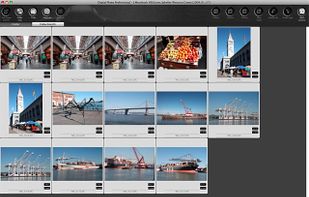
This application allows Canon camera users to edit and process RAW and JPEG files, apply batch adjustments, perform lens corrections and noise reduction, integrate with other editors, utilize cropping and print tools, and manage color profiles efficiently.

Cost / License
- Free
- Proprietary
Application typeApplication types
Platforms
- Mac
- Windows


Features
Highlights All activities
Digital Photo Professional News & Activities
Recent activities
 Mohamed-Bziyar added Digital Photo Professional as alternative to GeoProof
 Paul added Digital Photo Professional as alternative to PhotoFlare Lens
 Geert Zaal added Digital Photo Professional as alternative to Parergon Metadata Editor for mac
- wayback10 added No registration required as a feature to Digital Photo Professional
- wayback10 added Photo Editor as a feature to Digital Photo Professional
- wayback10 added Hardware Accelerated as a feature to Digital Photo Professional
- wayback10 added Image Editors as a feature to Digital Photo Professional
- wayback10 added Dark Mode as a feature to Digital Photo Professional
- wayback10 added Ad-free as a feature to Digital Photo Professional
- wayback10 added Lightweight as a feature to Digital Photo Professional


Developed by
 Canon
Canon Licensing
Proprietary and Free product.Alternatives
56 alternatives listedBadge
Get an embeddable badge for Digital Photo ProfessionalSupported Languages


Comments and Reviews
Good. But It is cannot rename photo-files taking into account the sub-seconds at EXIF.