DDCcontrol Alternatives

Apps similar to DDCcontrol include Twinkle Tray, which is free and open source. Other options are MonitorControl, Monitorian, ddcutil and ddcui. You can choose from more than 10 Screen Dimmers like DDCcontrol for Mac, Windows and Linux.

Copy a direct link to this comment to your clipboard
Alternatives
DDCcontrol alternatives page was last updated

Alternatives list

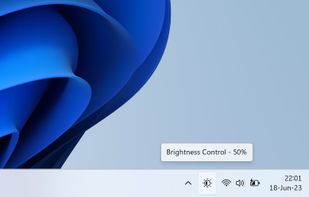
  1. The app lets you control the brightness of all your screens (both laptop and desktop) by a single click on a tray icon. Its look goes nicely with the system icons and it supports both light and dark mode.

    Cost / License

    • Free
    • Open Source (MIT)

    Platforms

    • Windows
    Good alternative?
     
  2. QuickShade icon
     2 likes

    A macOS app to quickly change the brightness of your Mac.

    Cost / License

    • Free
    • Proprietary

    Application type

    Platforms

    • Mac
    Good alternative?
     
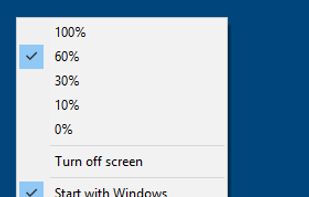
  3. This small utility will try to make controlling your external monitor brightness and contrast easier. Also it have day and night presets, which stored in a right-click on a button.

    Cost / License

    • Paid
    • Proprietary

    Platforms

    • Windows
    Good alternative?
     
  4. Simple Screen Brightness is a small portable application written in C# that allows you to adjust the brightness for all of your connected monitors using a slider without having to use their difficult-to-use built-in menu systems.

    Cost / License

    • Free
    • Open Source

    Platforms

    • Windows
    Good alternative?
     
  5. Brisync icon
     3 likes

    Synchronize your external monitor brightness with built-in display. Application reads current brightness of your built-in display and passes it to external monitors via DDC interface. You can adjust brightness by menu in system status bar.

    63 Brisync alternatives

    Cost / License

    • Free
    • Open Source (MIT)

    Platforms

    • Mac
    Good alternative?
     
  6. Candela icon
     2 likes

    A macOS menu bar app that protects your displays from OLED burn-in and wear: panel health history, a checkup for defects, and the everyday brightness, volume, and scaling controls macOS leaves out.

    Cost / License

    • Free
    • Open Source (MIT)

    Platforms

    • Mac
    Good alternative?
     
  7. LiteBright is a lightweight native brightness controller for Windows 10 and 11. It lets you control brightness across multiple monitors from the system tray, adjust displays independently or together, and use global keyboard shortcuts for quick changes.

    Cost / License

    • Free
    • Open Source (MIT)

    Platforms

    • Windows
    Good alternative?
     
  8. JoyScreen icon
     Like

    Focus view, extra brightness, ambient glow, and keep awake — all from your menu bar. JoyScreen transforms how you use your Mac.

    Cost / License

    • Paid
    • Proprietary

    Platforms

    • Mac
    Good alternative?
     
  9. DispCtrl icon
     Like

    Free, open-source display control for Windows 11: one brightness slider for every monitor (DDC/CI and laptop panels), night light, focus mode, keep awake, per-monitor taskbar hiding and glass, OLED care, your monitor's own settings, hotkeys and a CLI.

    Cost / License

    • Free
    • Open Source (MIT)

    Platforms

    • Windows
    Good alternative?
     
  10. Python monitor control using the VESA Monitor Control Command Set (MCCS) over the Display Data Channel Command Interface Standard (DDC-CI).

    Cost / License

    • Free
    • Open Source (MIT)

    Platforms

    • Windows
    • Linux
    • Python
    Good alternative?
     
  11. Free and Open Source alternative to Vivid macOS application to extend Apple XDR display brightness from 500 up to 1600 nits.

    Cost / License

    Platforms

    • Mac
    Good alternative?
     
You are at page 2 of DDCcontrol alternatives