Donemax offers 100% safe, powerful and easy-to-use data recovery software, data erasure software, disk clone software and other utilities for Windows and Mac OS.
Cost / License
- Pay once
- Proprietary
Platforms
- Mac
- Windows
dd is described as 'That stands for ‘data duplicator’, is a command-line utility for Unix mainly used for copying and converting data' and is a popular bootable usb creator in the os & utilities category. There are more than 25 alternatives to dd for a variety of platforms, including Windows, Linux, Mac, Flathub and Flatpak apps. The best dd alternative is Rufus, which is both free and Open Source. Other great apps like dd are balenaEtcher, Clonezilla, UNetbootin and KDE Partition Manager.
Donemax offers 100% safe, powerful and easy-to-use data recovery software, data erasure software, disk clone software and other utilities for Windows and Mac OS.
WinToUSB is a free software that allows you to install and run Windows operating system on a USB hard drive or USB flash drive, using an ISO image or CD/DVD drive as the source of installation. WinToUSB also support creating bootable WinPE USB drive, it can help you to transfer...


ImageUSB is a free tool for writing an image to multiple USB Flash Drives (or reading image from an UFD).
ImageUSB is designed for use with OSForensics.


Automatically make a live bootable usb with ease with AutoBootDisk, a open-source program

WinUSB - simple, portable and lightweight tool, lets you create multiple Windows bootable USB flash drive using ISOs or DVDs. Formatting drive is not required when free space is enough. Boot with NTFS flash drive in UEFI system supported for most PC.


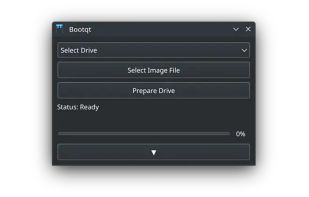
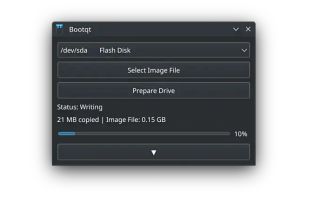
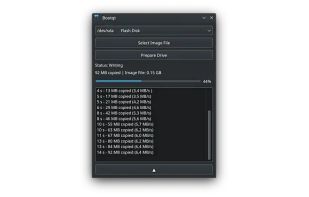
Bootqt is a simple app for making a bootable USB drive from an ISO or IMG file. It is written in Python and uses Qt technologies to provide an easy to use graphical user interface.


A kindful dd gui written in qt quick :). Contribute to LinArcX/Kindd development by creating an account on GitHub.


Install Disk Creator simplifies creating a bootable OS X installer.