DayTasks Alternatives

DayTasks is described as 'Lets you easily manage adding new tasks, removing tasks, marking tasks complete, archiving completed tasks to your done.txt file, and even filtering and searching through tasks in a simple way that lets you find certain projects or contexts easily' and is a todo list manager in the office & productivity category. There are more than 100 alternatives to DayTasks for a variety of platforms, including Windows, Mac, iPhone, Android and Web-based apps. The best DayTasks alternative is Todoist, which is free. Other great apps like DayTasks are Tasks.org, Wekan, TickTick and Markor.

Copy a direct link to this comment to your clipboard
DayTasks alternatives page was last updated

Alternatives list

  1. Notational Velocity is a mouseless application for storing and retrieving notes.

    Cost / License

    • Free
    • Open Source

    Application type

    Alerts

    • Discontinued

    Platforms

    • Mac
     
  2. Doit.im icon
     99 likes

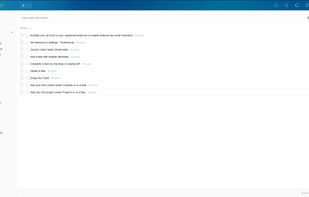
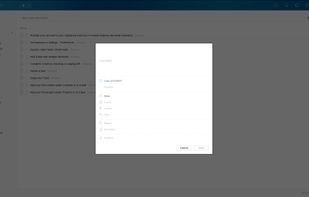
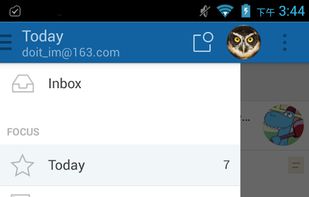
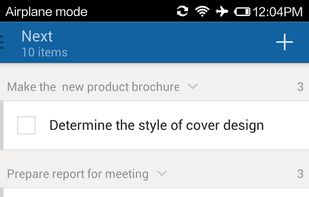
    Simple GTD application to manage your tasks and to-dos. Syncs with web server. Complete with the usual Inbox, Today, Next, Tomorrow, Scheduled and Someday "buckets" as most GTD programs have. You can also create Projects for tasks with multiple steps.

    181 Doit.im alternatives

    Cost / License

    • Freemium
    • Proprietary

    Alerts

    • Discontinued

    Platforms

    • Mac
    • Windows
    • Online
    • Android
    • iPhone
    • iPad
     
  3. Clear icon
     27 likes

    Clear is a colorful canvas for your thoughts, plans and goals. Here's what makes it uniquely fun and effective.

    Cost / License

    • Freemium
    • Proprietary

    Platforms

    • iPhone
    • iPad
     
  4. Plan icon
     38 likes

    Plan combines all of your calendars, projects, tools, and documents into one intuitive place - the central hub for your work-life.

    294 Plan alternatives

    Cost / License

    • Freemium
    • Proprietary

    Platforms

    • Mac
    • Online
    • iPhone
    • Google Chrome
     
  5. Everdo icon
     12 likes

    Task manager for Windows, Linux, Mac, and Android beta offering powerful yet user-friendly Getting Things Done features, privacy by design, local offline use, flexible sync options, no subscription requirements, and distraction-free organization for tasks and projects.

    Cost / License

    • Freemium
    • Proprietary

    Platforms

    • Mac
    • Windows
    • Linux
    • Android
    • iPhone
     
  6. Nullboard icon
     11 likes

    Nullboard is a light minimalist kanban, specifically designed to be compact, readable and quick in use.

    Cost / License

    • Free
    • Open Source

    Application type

    Platforms

    • Mac
    • Windows
    • Linux
    • Online
    • Self-Hosted
     
  7. OpenTasks icon
     7 likes

    A simple task manager app, allowing you to categorise your todo list by urgency, state, timeframe etc.

    Cost / License

    Application type

    Platforms

    • Android
    • DAVdroid
     
  8. Go For It icon
     23 likes

    Go For It! is a simple and stylish productivity app, featuring a to-do list, merged with a timer that keeps your focus on the current task.

    Cost / License

    Platforms

    • Linux
    • Todo.txt
     
  9. Calcurse icon
     13 likes

    Calcurse is a calendar and scheduling application for the command line. It helps keep track of events, appointments and everyday tasks. A configurable notification system reminds user of upcoming deadlines, the curses based interface can be customized to suit user needs and a...

    30 Calcurse alternatives

    Cost / License

    • Free
    • Open Source

    Application types

    Platforms

    • Mac
    • Linux
    • BSD
     
  10. 2Do icon
     69 likes

    2Do lets you take a completely different approach to managing your tasks. With its extremely simple-to-use interface and a comprehensive and flexible set of powerful features, it lets you focus on what's most important to you: your life.

    Cost / License

    • Paid
    • Proprietary

    Platforms

    • Mac
    • Android
    • iPhone
    • iPad
    • Apple Watch
     
  11. Once enabled, a new Tasks menu will appear in your Nextcloud apps menu. From there you can add and delete tasks, edit their title, description, start and due dates, reminder times, mark them as important, and add comments on them. Tasks can be shared between users.

    Cost / License

    Platforms

    • Online
    • Self-Hosted
    • Nextcloud
     
You are at page 3 of DayTasks alternatives