





Copper Goose
Like
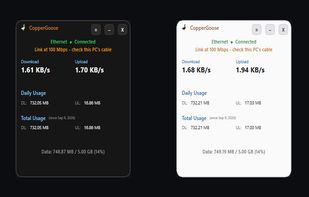
Tells you whether an internet slowdown or dropout is your own Wi-Fi, cable or router, or your ISP — and logs the evidence with timestamps.


Features
Highlights All activities
Copper Goose News & Activities
Recent activities
- Spruce updated Copper Goose
- Spruce replied to a comment / review on Copper Goose
- reviewed Copper Goose★★★★
Was able to send the app report to ISP for internet outages to claim a credit for the down time.
- thinks Network Tools is a important feature of Copper Goose
- thinks Traffic Monitoring is a important feature of Copper Goose
- Spruce updated Copper Goose
- Danilo Venom updated Copper Goose
- Spruce added Copper Goose
 Spruce added Copper Goose as alternative to GlassWire, NetSpeedMonitor, NetWorx, DU Meter and 2 more



Developed by
 Copper Goose Tech
Licensing
Proprietary and Commercial product.Pricing
One time purchase (perpetual license) that costs $14.Alternatives
6 alternatives listedBadge
Get an embeddable badge for Copper GooseSupported Languages


Comments and Reviews
Was able to send the app report to ISP for internet outages to claim a credit for the down time.
Thanks for this. Great to hear the report did its job and got you a credit for the downtime. That's exactly what it's for: the times, how long each outage lasted, and the figures, all in one place to send your ISP — Copper Goose Tech.