Copernic Desktop Search Alternatives for Mac

Copernic Desktop Search is not available for Mac but there are plenty of alternatives that runs on macOS with similar functionality. The best Mac alternative is DocFetcher, which is both free and Open Source. If that doesn't suit you, our users have ranked more than 50 alternatives to Copernic Desktop Search and many of them are available for Mac so hopefully you can find a suitable replacement. Other interesting Mac alternatives to Copernic Desktop Search are Recoll, Cling Fuzzy Finder, Spotlight and DeepPeek.

Copy a direct link to this comment to your clipboard
Copernic Desktop Search alternatives page was last updated

Alternatives list

  1. DocFetcher icon
     129 likes

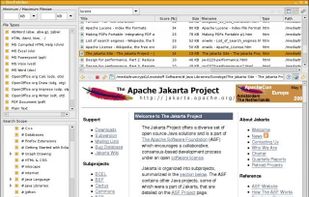
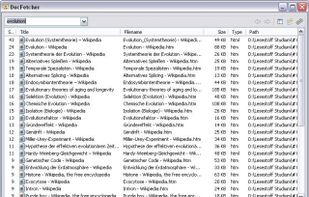
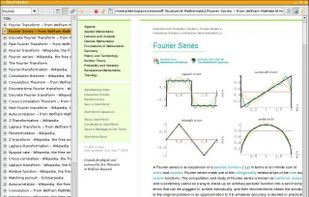
    DocFetcher is an Open Source desktop search application: It allows you to search the contents of files on your computer. — You can think of it as Google for your local files. The application runs on Windows, Linux and macOS, and is made available under the Eclipse Public License.

    128 DocFetcher alternatives

    Cost / License

    Application type

    Platforms

    • Mac
    • Windows
    • Linux
     
    |
    3
    DocFetcher vs Copernic Desktop Search Comments
    Guest
    Negative
    1

    Copernic is B2B and DocFetcher is B2C

    Review by a new / low-activity user.
    Marcelo Caldeira
    Positive
    0

    I used Copernic Desktop Search on Windows, I searched for a long time for a replacement on Linux. DocFetcher was the best option, although it is difficult to install.

    Review by a new / low-activity user.
    Guest
    Positive
    -4

    The free version of Copernic Desktop Search has a limit to the number of files that you can search. To my knowledge, DocFetcher has no such limit. When Copernic introduced the limit, I switched to DocFetcher, to my full satisfaction.

    Review by a new / low-activity user.
    • DocFetcher is Free and Open SourceCopernic Desktop Search is Paid and Proprietary
    • DocFetcher is Privacy focusedCopernic Desktop Search is not according to our users
  2. Recoll icon
     63 likes

    This package is a personal full text search package which is based on a very strong backend (Xapian), for which it provides an easy to use and feature-rich interface.

    44 Recoll alternatives

    Cost / License

    Application type

    Platforms

    • Mac
    • Windows
    • Linux
    • BSD
    • Flathub
    • Flatpak
     
  3. Quickly fuzzy search system, hidden, or dotfiles using keyboard navigation, then preview, copy paths, batch rename, or run custom scripts. Supports exclusion rules, minimal UI, Quick Filters, and power user features for efficient macOS file management.

    Cost / License

    Application type

    Platforms

    • Mac
     
  4. Spotlight icon
     22 likes

    Spotlight is the system-wide desktop search feature built into Apple's OS X operating system since version 10.4 (Tiger). Backed by an index of all items and files on the system, it's designed to allow the user to quickly locate a wide variety of items on the computer...

    93 Spotlight alternatives

    Cost / License

    • Free
    • Proprietary

    Platforms

    • Mac
     
  5. DeepPeek icon
     6 likes

    Seek, peek, and preview to find your work instantly — even if it's buried in folders, or you've lost track of it over the months.

    52 DeepPeek alternatives

    Cost / License

    • Paid
    • Proprietary

    Application type

    Platforms

    • Mac
     
  6. TextSeek icon
     9 likes

    TextSeek is a professional full-text desktop search tool for Windows and MacOS. It supports PDF, Word, Excel, Powerpoint, RTF and other formats.

    103 TextSeek alternatives

    Cost / License

    • Freemium
    • Proprietary

    Application type

    Platforms

    • Mac
    • Windows
     
  7. SupaSidebar icon
     6 likes

    Lightning-fast sidebar for macOS. Access your files, folders, and websites instantly with keyboard shortcuts and smart organization.

    Cost / License

    • Freemium
    • Proprietary

    Application type

    Platforms

    • Mac
     
  8. FileMinutes icon
     3 likes

    Enables rapid file search by name or content, intuitive keyboard navigation, integrated file actions, direct Finder window and tab management, instant results, saved recent searches, data privacy with no tracking, and Apple Notarized safety for secure macOS use.

    Cost / License

    • Paid
    • Proprietary

    Application type

    Platforms

    • Mac
     
  9. Designed for beginners and professionals alike, Monarch is a command center that makes it easier than ever to switch apps, run calculations, search clipboard history, take notes and more with only a single hotkey. No complicated setup or configuration required.

    Cost / License

    • Paid
    • Proprietary

    Application type

    Platforms

    • Mac
     
  10. Fenn icon
     1 like

    Fenn is a powerful, AI-driven desktop search engine for macOS that makes your files instantly searchable—including videos, audio, PDFs, Word documents, Excel sheets, and images. Just type or upload an image to find exactly where any object, person, or concept appears.

    Cost / License

    • Paid
    • Proprietary

    Platforms

    • Mac
     
  11. DEVONsphere icon
     1 like

    Mac utility provides context-aware search, unveils hidden relationships between files, emails, and online data, employs Boolean logic, intelligent filtering, and previews, integrates via menu bar and Services, optimizing information discovery while preserving workflow.

    Cost / License

    • Paid
    • Proprietary

    Application type

    Platforms

    • Mac
     
12 of 26 Copernic Desktop Search alternatives