


Cockpit Project
44 likes
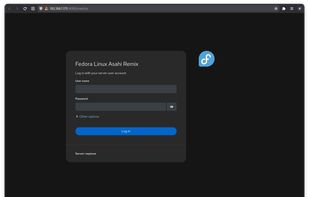
Makes it easy to administer Linux servers via a web browser. It allows you to easily perform simple tasks like storage administration, inspecting journals, starting & stopping services, monitoring & administering several servers at once.

Cost / License
- Free
- Open Source (LGPL-2.1)
Application type
 EU
EUPlatforms
- Linux
- Flathub
- Self-Hosted


Features
Highlights All activities
Cockpit Project News & Activities
Recent News
No news, maybe you know any news worth sharing?
Share a News Tip
Recent activities
- Stephan-Magalatchoumy liked Cockpit Project
 Paul added Cockpit Project as alternative to SwiftVM
 Göktuğ Ceyhan added Cockpit Project as alternative to Noderax
 Paul added Cockpit Project as alternative to VMPal
 mvmOS added Cockpit Project as alternative to mvmOS
 Serhii-Muraviov added Cockpit Project as alternative to Arcivéo Monitor
 Saelix added Cockpit Project as alternative to Sencho
- Geonhui liked Cockpit Project
- bulldogs liked Cockpit Project
 kulmert added Cockpit Project as alternative to KernelPanel


Developed by
 Cockpit community
 Licensing
Open Source (LGPL-2.1) and Free product.Written in
Rating
Average rating of 4.7Alternatives
43 alternatives listedBadge
Get an embeddable badge for Cockpit ProjectSupported Languages

AlternativeTo Categories
Network & Admin, OS & Utilities, System & Hardware, DevelopmentGitHub repository
- 15,243 Stars
- 1,364 Forks
- 495 Open Issues
- Updated






Selfhosting
Selfhosting is where you're hosting your own websites, apps, software, tools, and much more on your own server instead of having to rely on 3rd-party cloud providers such as Hetzner. Taking this approach to hosting gives you more control over your data and how your server or servers are managed.
When you are running multiple things on one or two servers, within your home, it's called a "Homelab" and you're "Homelabbing" at that point.
Running your own server and homelab within your home is great for privacy-conscious individuals such as myself, tech enthusiasts, small businesses, and those seeking more control of their digital life.
The following lists provided here are applications and software I've gotten comfortable with and enjoyed using over the past 3 and a half years since I started homelabbing, it's based on my experience and what fits my criteria. Some well known softwares won't be listed here, as my experience may of not been at best with them.
My criteria is that software is built in the open, respects user privacy and security, should not require a license to operate, and don't contain profanity and other minor things.
I'm also willing to test new software to selfhost, feel free to comment or message me to try out other alternatives.
There are other places to check out as well for those interesting selfhosting, such as Awesome Selfhosted, selfh.st, and other places you can find on the internet.
https://github.com/awesome-selfhosted/awesome-selfhosted
https://github.com/awesome-foss/awesome-sysadmin
https://github.com/veggiemonk/awesome-docker
If you ever need help with selfhosting, you can check out the following communities:
Homelab Community on Fluxer, I personally run
/r/selfhosted (Reddit)
/c/selfhosted (Lemmy / Fediverse)
There's also a wiki you can look into as well.
If you believe an alternative software should be added to this list, please contact me or direct message via my AlternativeTo account. I'm also available on Signal.
This lists gets updated every month at least, check back regularly.



Open-Source Slopware
A list of open-source software containing slop (LLM generated) code or endorses the usage of LLMs in other ways.
This list contains software that obviously accepts irresponsible coding practices or promotes LLM usage. I found these applications while searching for alternatives to previously used software that turned out to contain code generated by slop-machines.
Each of added applications have at least one link that points to the verifiable proof.
This list by no means is meant to cover all the software that contains code by not-so-intelligent tools and people using them but to serve as a reminder to myself about what I have already checked.
Why having LLM generated code (and using generative tools in general) is bad?
Ethical reasons — such as illegally retrieved training material, underpaid workers that prepare the training data.
Impact on environment — increased fossil fuel usage to supply the needed electricity power, water usage in water scarce regions. This somewhat overlaps with the above.
Social impact – noise pollution in neighbourhoods near AI data centres, air pollution from diesel- or gas-powered turbines (also overlaps with the above), resource consumption by data centres drastically increases utility prices.
Impact on brain and thinking, reasoning — by offloading thinking and decision making to machines people are shooting in their foot (more like in their head) as this leads to brain rot. Less intelligent people are easier to control.
Even legal issues (especially in open-source software as it cannot be guaranteed that the “generated” code is not really just re-used, thus unknowingly violating the source license).
Inevitable enshittification — every software product from big technology eventually gets enshittified to maximize revenue. For users this could mean hidden or plain ads, biased opinions/information, privacy violations, increased prices for LLM based tools.
Burden on open-source software maintenance — LLM tools provide easier access to code contributions which often shifts the responsibility of checking code quality from developers to maintainers and reviewers. Digging through walls of merge request text and code generated by slop-machines takes valuable time that otherwise could be spent more meaningfully by fixing bugs and working on new features.
I will try to add links that back up the claims above, but it may take a while.
Of course, I see how and where generative tools could be helpful and sometimes I feel tempted to find an acceptable way to use them, but for now the direct and indirect costs far too much outweigh gains.
This list has its positive counterpart: Slop-Free (Supposedly) Open-Source Software (not quite complete yet).
Also take a look at and give thumbs up to AI Slopfree Software Catalog which contains software dedicated against usage of LLMs.
Also, here is a list of some labels that can be added / voted for so they would eventually appear on application pages:
Slopware;
Slop (LLM) Code;
Slop-Source Software;
Open-Source Slopware;
Contains Slop (LLM Generated) Code.


WebUI Control Panel`s for your home server
For easier control off your home server. Here is a list off webUI Control Panels for just that.
Comments and Reviews
my first VPS and Cockpit Project seems like a very clean, straight-forward server managing program. best of all, it's Free & Open Source!