
SwiftVM icon
SwiftVM icon

SwiftVM

 12 likes

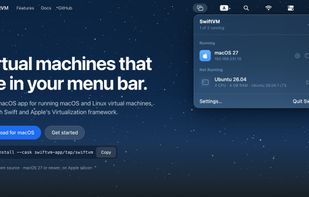
Native macOS app for running macOS and Linux virtual machines, built with Swift and Apple's Virtualization framework.
SwiftVM screenshot 1

Cost / License

Application type

Since

  • New

Releases

  • 15 releases last year15 last year

GitHub

  • GitHub stars: 290

Platforms

  • Mac
  • Homebrew
12likes
0articles
Save

Features

Properties

Features

Highlights All activities

SwiftVM News & Activities

Recent activities

  • AEmulator icon
    Neon pop added SwiftVM as alternative to AEmulator
  • VirtoMir icon
    onurbaydas added SwiftVM as alternative to VirtoMir
  • kirill0ermakov liked SwiftVM
  • Jenrazel28 liked SwiftVM
  • BX Sandbox icon
    Dirk Holtwick added SwiftVM as alternative to BX Sandbox
  • MacVisor icon
    Rohit-Yadav added SwiftVM as alternative to MacVisor
  • klim liked SwiftVM
  • tehnicj liked SwiftVM
  • Taha Bozdemir liked SwiftVM
  • Patel Bhavy liked SwiftVM

SwiftVM information

AlternativeTo Categories

Network & Admin, OS & Utilities

GitHub repository

  •  290 Stars
  •  17 Forks
  •  15 Open Issues
  •   Updated  
View on GitHub
SwiftVM was added to AlternativeTo by Paul on and this page was last updated .

No comments or reviews, maybe you want to be first?

Official Links

What is SwiftVM?

Native macOS app for running macOS and Linux virtual machines, built with Swift and Apple's Virtualization framework.

What SwiftVM does

Guests that set themselves up, and everything you need to work with them.

  • macOS guests: SwiftVM installs macOS from Apple and, from macOS 27 on, sets it up for you. No setup assistant to click through.
  • Linux guests: Ubuntu and Debian from a ready-made image, ready in seconds. Or install another ARM64 distribution from its installer disc.
  • SSH by name: Every machine gets an SSH name. Run ssh web-server from your Mac, without looking up addresses.
  • Snapshots and duplicates: Keep a machine exactly as it is, and come back to it later. A duplicate takes no time and no extra space at first.
  • Suspend and resume: Save a machine's memory to disk and free your Mac's. It continues where it was the next time you start it.
  • Shared folders and clipboard: Open folders of your Mac in the guest, and copy and paste between the two.
  • Networking: Each machine has its own address, the same every time it starts. Forward ports to reach what runs in a guest.
  • USB devices and disk images: Hand a drive, a security key, or a serial adapter to a running guest. Plug in disc and disk images as USB drives.
  • Command line: swiftvm does from a terminal what the app does from the menu bar, so everything can be scripted.