
WMPal icon
WMPal icon

WMPal

Fast macOS, Windows and Linux virtual machines for Apple Silicon. VMPal downloads and installs each system for you, in minutes, in the VM's own window.
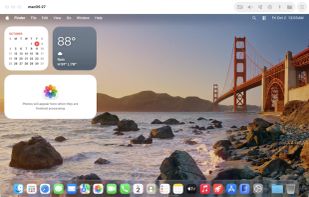
WMPal screenshot 1

Cost / License

  • Freemium (Pay once)
  • Proprietary

Application type

Platforms

  • Mac
0likes
0articles
Save

Features

Properties

  1.  Lightweight

Features

  1.  Works Offline
  2.  Hardware Accelerated
  3.  Ad-free
  4.  No registration required
  5.  Virtualization
  6.  GPU Acceleration
  7.  Apple Silicon support
  8.  Port Forwarding

WMPal News & Activities

Highlights All activities

Recent activities

WMPal information

  • Developed by

    US flagTablePlus
  • Licensing

    Proprietary and Freemium product.
  • Pricing

    One time purchase (perpetual license) ranging between $35 and $50 + free version with limited functionality.
  • Alternatives

    36 alternatives listed
  • Badge

    Get an embeddable badge for WMPal
  • Supported Languages

    • English

AlternativeTo Categories

Network & Admin, System & Hardware
WMPal was added to AlternativeTo by Paul on and this page was last updated .

No comments or reviews, maybe you want to be first?

Official Links

What is WMPal?

Fast macOS, Windows and Linux virtual machines for Apple Silicon. VMPal downloads and installs each system for you, in minutes, in the VM's own window.

macOS × Windows × Linux with GPU acceleration.

  • macOS: Straight from Apple, installed in minutes, with Metal on your Mac's GPU. VMPal Tools add the clipboard and drag & drop. On macOS 27, setup takes no clicks.
  • Windows 11: VMPal's own engine, installed for you. Retina up to 5K, a TPM 2.0, USB devices, Direct3D 11 and OpenGL 4.1 on your Mac's GPU.
  • Ubuntu and Fedora: Installed for you in minutes. OpenGL 4.1 on your Mac's GPU, Rosetta for Intel programs, and nested virtualization.

Highlights:

  • Lightweight: A VM's disk is only as big as what's in it. It moves to another Mac in one file, and clones take space only as they change.
  • Fast on every system: macOS and Linux on Apple's Virtualization framework, Windows on VMPal's own engine. Each draws on your Mac's GPU.
  • Beautiful design: We care about the details. Every pixel in VMPal is perfectly aligned and made to feel at home on macOS.
  • Sharp on Retina: The display follows the window, at your Mac's scale, up to 5K.
  • Installed for you: Pick macOS, Windows 11, Ubuntu or Fedora, the newest or an older release, or an IPSW or ISO you have. VMPal downloads it and installs it in the VM's window, with your account and VMPal Tools. A cover keeps stray clicks out until it's ready.
  • Share everything: Clipboard with files both ways, drag and drop in and out of every VM, and Mac folders in Finder, Explorer and Files.
  • Snapshots: Save a VM as it is, running or not, and roll back in seconds. Each takes space only as the VM changes.
  • Port forwarding: Reach a web server or SSH in any VM through a port on your Mac.
  • Live settings: Name, disk, shared folders and network change while the VM runs.
  • Sound and mic, per VM: Each VM gets only what you allow, and a green light shows when the mic is in use.
  • Its own app in the Dock: Each VM runs as an app of its own, with its own Dock icon. A crash stops only that VM.
  • Import from Parallels: Bring your Parallels VMs over in a few clicks.
