Digital media suite offering disc burning, video editing, file conversion, and digital art creation. Features include drag-and-drop CD/DVD burning, DVD templates, screen capture, and advanced media security with encryption and password protection.


CloneCD is described as 'The perfect tool to make backup copies of your music and data CDs, regardless of standard conformity. CloneCD's award-winning user interface allows you to copy almost any CD in just a few mouse clicks' and is a DVD Copying utility in the cd/dvd tools category. There are more than 25 alternatives to CloneCD for a variety of platforms, including Windows, Linux, Mac, BSD and Flathub apps. The best CloneCD alternative is ImgBurn, which is free. Other great apps like CloneCD are CDBurnerXP, K3b, Brasero and InfraRecorder.
Digital media suite offering disc burning, video editing, file conversion, and digital art creation. Features include drag-and-drop CD/DVD burning, DVD templates, screen capture, and advanced media security with encryption and password protection.


Lightweight CD/DVD burning software designed for Xfce, but it runs on Gnome, KDE etc as well. It can blank CDs and DVDs, burn and create ISO images and burn personal compositions of data. At the moment it is at heavy development.

Burns audio, MP3, data CDs, DVDs, and Blu-ray discs with direct digital recording and format conversion. Re-encodes videos to DVD Movie, supports chapter management, PAL/NTSC, ISO images, command-line automation, trial for DVD/Blu-ray features.


Comprehensive media manager for archiving, organizing, and playing files. It supports wireless transfer from devices, CD ripping with album art, and offers editing tools. Users can create slideshows, playlists, and burn them to optical discs, enhancing the experience with music and templates.


Nero MediaHome is the most popular Android & iPhone alternative to CloneCD.
Comprehensive multimedia suite with over 20 integrated applications offering disc burning, video capture and editing, photo editing, file conversion, DVD authoring, and encryption, ensuring versatile media management and online sharing capabilities.


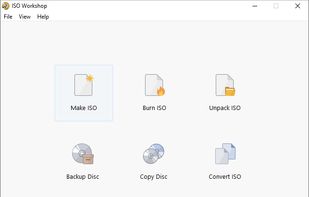
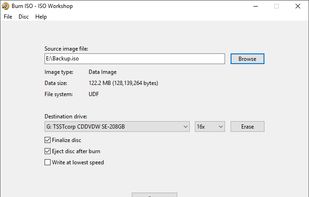
ISO Workshop is a Windows desktop application designed to simplify ISO image management and conversion, along with CD/DVD/Blu-ray disc burning and copying operations.


This tool simplifies the creation of bootable USBs, CDs, and DVDs through a streamlined three-step process. Compatible with Windows 10 32-bit and 64-bit, it supports virtual drive mounting, language management, and facilitates OS installations, upgrades, and reinstallation tasks efficiently.


Mount as many as seven images to virtual drives with this simple program that will indeed make your relation with image files become a simpler one.


[You need a C compiler to install it from source.]
ISO Master is an open-source, easy to use, graphical CD image editor for Linux and BSD. Basically you can use this program to extract files from an ISO, add files to an ISO, and create bootable ISOs - all in a graphical user in.

TopBurn AI is a powerful and easy-to-use disc burning/ripping software. It supports burning CDs, DVDs, and other disc types quickly and reliably with advanced burn-proof mode. You can easily burn data files, music, and video discs.


Batch ISO Creator is a lightweight Windows utility that turns multiple folders into ISO images in a single click —no command line, no scripts, no bloat.


SimplyBurns is a Mac OS X application with a GUI, which allows the user to burn CD/DVD media. It has the following modes: Audio CD project; Data project (Filesystems: ISO9660, Joliet, HFS+, UDF); Duplication mode; Burn image mode (Formats: ISO9660, DMG, CUE/BIN, cdrdao's...