iClip saves the contents of the clipboard every time you copy plain-text, rich-text, images, audio, video, or files.


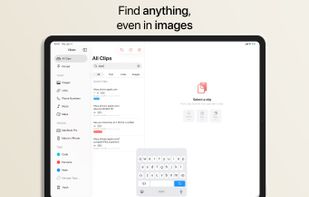
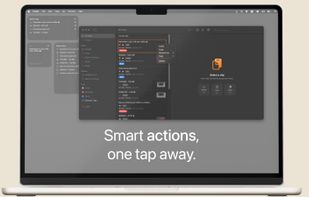
ClipBook is described as 'Stores everything you copy and lets you quickly access your clipboard history whenever you need it' and is a clipboard manager in the office & productivity category. There are more than 25 alternatives to ClipBook for a variety of platforms, including Mac, iPhone, iPad, Windows and Linux apps. The best ClipBook alternative is Planck, which is free. Other great apps like ClipBook are CopyCat Clipboard, WindowSill, ClipShelf and ClipPocket.
iClip saves the contents of the clipboard every time you copy plain-text, rich-text, images, audio, video, or files.


PasteNow is a clipboard management app that make your daily work easier and faster. You can use it to store every kinds of temporary data: text, link, image and even code.


Say goodbye to losing important snippets of text and images! Clip Log is the ultimate clipboard manager, combining intelligent organization, real-time saving, and privacy-first design. Designed to simplify your workflow, Clip Log ensures that everything you copy is instantly...


ClipMax is a next-generation clipboard manager that enhances productivity by automating, organizing, and integrating copied content with AI.


PasteIt is a clipboard manager for Windows 10/11 which keeps track of everything you copy and paste, lets you organize it with tabs of favorites.


Copi is an open-source, lightweight, and secure clipboard alternative for macOS. It offers the same copy and paste functionality as the system clipboard, but its contents cannot be accessed by any third-party applications, effectively protecting your privacy data.


Minimal, native clipboard manager for macOS — one-time purchase, cross-type history (text, code, images, files), and instant search.


ClipCapsule is a minimalist clipboard manager for Linux. It supercharges your productivity by allowing you to manage and switch clipboard entries using only keyboard shortcuts—no mouse or GUI required.
Copy text with Command + C and append it to the last copied text instead of replacing it! Activate inserting with a custom shortcut.


Mac clipboard history manager inspired by Windows, holding text, images, files, folders, and groups. Customize up to 50 items. Access via shortcuts and command keys. Opens at the bottom right, with a status menu bar icon. Provides comprehensive usage tips.