ClipCraft is a free all-in-one creative suite that replaces a whole shelf of separate programs. On the audio side you get a full DAW with multitrack recording, a real timeline, and built-in instrument plugins like piano and harp, so you can write, record, and mix without buying anything extra. The image editor works the way you'd expect a Photoshop-style tool to work, with full layer support, plus a built-in compression tool that lets you push your images through optimization and convert them to WebP, PNG, or whatever format you actually need.
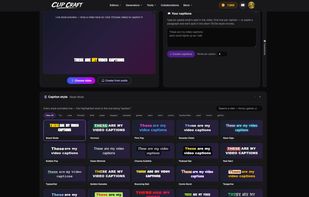
The video editor is built for real projects, with keying so you can drop in and replace backgrounds, and an AI caption tool that listens to your footage, transcribes it, and syncs the captions automatically. The screen recorder handles multiple channels and simultaneous recordings, which makes it easy to capture gameplay, tutorials, or client walkthroughs. There are also AI image and video generators built right in, so you can create assets without leaving the app.
What ties it together is how the tools hand off to each other. Send a screen recording straight into the video editor, push the audio over to the DAW for cleanup, then route the finished cut through the caption editor. No exporting, re-importing, or hunting for the right file format between steps. There's also a growing set of extras, including a PDF creator that builds fillable forms for leases, real estate paperwork, and other business documents.
Almost everything is free to use, with no catch. The only exceptions are the AI generation tools, which run on real GPU time, so those use a token system. Every account gets free tokens to start, including free accounts, and paid tiers are there if you want more capacity and storage.






 TheVibeCoder AI added Clip Craft as alternative to LMMS, Ardour, FL Studio, Tenacity and 53 more
 Lucky Panda

No comments or reviews, maybe you want to be first?