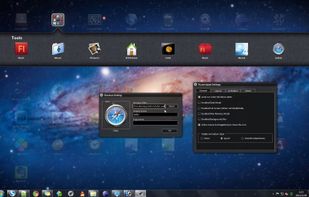
CLaunch Alternatives

CLaunch is described as 'You are free to choose double-click on the desktop and move mouse to the corner of the screen, such as a hot key, how to display more than 100' and is a application launcher in the os & utilities category. There are more than 50 alternatives to CLaunch for a variety of platforms, including Windows, Linux, Mac, GNOME and KDE Plasma apps. The best CLaunch alternative is Fences. It's not free, so if you're looking for a free alternative, you could try RocketDock or Cairo-Dock. Other great apps like CLaunch are Docky, ObjectDock, TaskbarX and Winstep Nexus.

Copy a direct link to this comment to your clipboard
CLaunch alternatives page was last updated

Alternatives list

  1. Dash to Dock icon
     3 likes
    Copy a direct link to this comment to your clipboard

    A dock for the Gnome Shell. This extension moves the dash out of the overview transforming it in a dock for an easier launching of applications and a faster switching between windows and workspaces.

    11 Dash to Dock alternatives

    Cost / License

    • Free
    • Open Source

    Platforms

    • Linux
    • GNOME
     
  2. Copy a direct link to this comment to your clipboard

    DockView is a macOS utility that shows live previews (thumbnails) of an application’s open windows when you hover over its icon in the Dock. You can quickly switch, minimize, or close windows directly from that preview panel — all without altering the system Dock itself.

    Cost / License

    • Pay once
    • Proprietary

    Application type

    Platforms

    • Mac
     
  3.  1 like
    Copy a direct link to this comment to your clipboard

    Fully configurable (w/ command line arguments and css) dock, written in Go, aimed exclusively at sway Wayland compositor. It features pinned buttons, task buttons, the workspace switcher and the launcher button.

    Cost / License

    • Free
    • Open Source

    Platforms

    • Linux
     
  4. Dragthing icon
     7 likes
    Copy a direct link to this comment to your clipboard

    DragThing is the original dock designed to tidy up your Macintosh desktop.

    It puts all your documents, folders, and applications just a single click away. Highly flexible, it allows multiple docks, each customised to suit your exact needs.

    It stores frequently-used clippings su.

    69 Dragthing alternatives

    Cost / License

    • Freemium (Pay once)
    • Proprietary

    Application type

    Alerts

    • Discontinued

    Platforms

    • Mac
     
  5. Dash to Panel icon
     3 likes
    Copy a direct link to this comment to your clipboard

    An icon taskbar for the GNOME Shell. This extension moves the dash into the GNOME main panel so that the application launchers and system tray are combined into a single panel, similar to that found in KDE Plasma and Windows 7+.

    Cost / License

    • Free
    • Open Source

    Application type

    Platforms

    • Linux
    • GNOME
     
  6. FlashTray Pro icon
     6 likes
    Copy a direct link to this comment to your clipboard

    Flashtray - Our system tray application launcher and macro tool makes you work more efficiently by automating a lot of repetitive keyboard tasks by using custom macros and hotkeys.

    Cost / License

    • Free
    • Proprietary

    Application type

    Platforms

    • Windows
     
  7. Copy a direct link to this comment to your clipboard

    LaunchBar is a small Windows freeware program that mimics the behavior of the dockable QuickLaunch toolbar that was available in all Windows versions before Windows 7.

    Cost / License

    • Free
    • Open Source

    Application type

    Platforms

    • Windows
     
  8. DockShelf icon
     1 like
    Copy a direct link to this comment to your clipboard

    Did you ever wish your Dock could do more or handle more of your apps and files? DockShelf lets you place unlimited docks around your desktop so you never run out of space again for your commonly used files, folders and applications!

    Cost / License

    • Pay once
    • Proprietary

    Application type

    Platforms

    • Mac
     
  9. Luncher icon
     2 likes
    Copy a direct link to this comment to your clipboard

    Luncher is a simple Windows application and file launcher. It allows you to setup buttons that act as shortcuts to open any application, file or folder. Luncher appears as a small panel on the top of the screen that is always easily accessible.

    Cost / License

    • Free
    • Proprietary

    Application type

    Platforms

    • Windows
     
  10. Promptu icon
     6 likes
    Copy a direct link to this comment to your clipboard

    Say goodbye to repetitive, time-consuming tasks, like hunting through your programs, folders, files, and bookmarks for the ones you need. Promptu lets you associate meaningful names with programs, folders, files, bookmarks, etc, and access them almost instantly from your...

    Cost / License

    • Free
    • Proprietary

    Application type

    Platforms

    • Windows
     
You are at page 3 of CLaunch alternatives