


CineCinch
Like
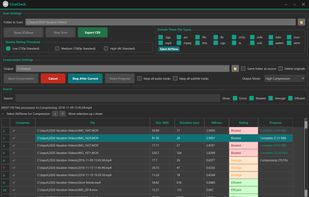
Find and compress space-hogging videos with a simple Windows tool that analyzes folders, ranks inefficient files, and batch-compresses them using H.265 — no complicated presets or command lines.

Cost / License
- Pay once
- Proprietary
Application type
Platforms
- Windows

Features
Highlights All activities
CineCinch News & Activities
Recent activities
- CineCinch updated CineCinch
 RemovedUser added CineCinch as alternative to MediaConfig
 Mauricio B. Holguin added CineCinch as alternative to GetCompress
 CineCinch added CineCinch as alternative to Adapter, Freemake Video Converter, Hybrid, Shutter Encoder and 3 more
 CineCinch added CineCinch as alternative to Icecream Video Converter, Axiom (FFmpeg GUI), VidCoder, Video Compression and 14 more
 CineCinch added CineCinch as alternative to Free HD Video Converter Factory, ASXGui, Internet Friendly Media Encoder, FormatLab and 19 more
- CineCinch added CineCinch


Developed by
 CineCinch
 Licensing
Proprietary and Commercial product.Pricing
One time purchase (perpetual license) ranging between $10 and $30.Alternatives
43 alternatives listedBadge
Get an embeddable badge for CineCinchSupported Languages
AlternativeTo Categories
Video & Movies, File ManagementGitHub repository
- 0 Stars
- 0 Forks
- 0 Open Issues
- Updated


No comments or reviews, maybe you want to be first?