


Cine
9 likes
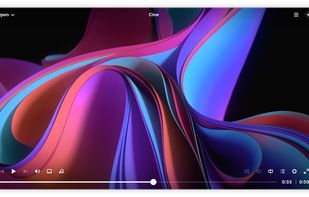
Cine combines a clean interface with a high-performance engine to deliver a seamless viewing experience.

Cost / License
- Free
- Open Source (GPL-3.0)
Application type
Platforms
- Linux
- Flathub
- GNOME
- Flatpak
- Linux Mobile


Features

Cine News & Activities
Highlights All activities
Recent activities
A seriously beautiful Video Player. Really like that you can activate preview Images when hovering on timeline of a video (Like Youtube). Subtitles and Audio can be easily changed in the down left region. This is a way better interface than the base MPV.
I don't like the playlist blocking the view of the video. This is typical Gnome UX Design. It would be better if the Playlist could sit next to the video player but being always open for easy access -especially for Music.
- LongliveLinux liked Cine
- Breat liked Cine
- Nam Pham liked Cine
 Paul added Cine as alternative to Ray Media Player
 Eric Soltys added Cine as alternative to Luminous Music Player
- mimumu added Hardware Accelerated as a feature to Cine
Good looking, perfect fit for visually minimalist setups or GNOME, mpv as backend so even if it doesnt exposes many setting in the GUI, is very configurable
- mimumu liked Cine


Featured in Lists



Linux MUSTS (Almost All Nice & Modern UI/UX)
A simple list of Applications I use daily, hopefully you haven't seen all of these before. But, in this list you'll generally find apps that look modern, as UI is pretty important to me. I know there aren't too many "Linux with Pretty UI" lists, so here's this one. Let me know if there are any you'd add!
What is Cine?
Cine information
Developed by
 Diego Povliuk
 Licensing
Open Source (GPL-3.0) and Free product.Written in
Alternatives
59 alternatives listedBadge
Get an embeddable badge for CineSupported Languages

AlternativeTo Categories
Video & Movies, System & HardwareGitHub repository
- 466 Stars
- 24 Forks
- 28 Open Issues
- Updated


Comments and Reviews
Good looking, perfect fit for visually minimalist setups or GNOME, mpv as backend so even if it doesnt exposes many setting in the GUI, is very configurable
A seriously beautiful Video Player. Really like that you can activate preview Images when hovering on timeline of a video (Like Youtube). Subtitles and Audio can be easily changed in the down left region. This is a way better interface than the base MPV.
I don't like the playlist blocking the view of the video. This is typical Gnome UX Design. It would be better if the Playlist could sit next to the video player but being always open for easy access -especially for Music.
I frankly haven't found many apps that felt anything close to screenbox media player when it came to UI. Cine was close enough for me to not feel that thought, I really like how to looks and feels.