A small utility which allows you to easily organize your open windows by tiling, resizing and positioning them to make the best use of your desktop real estate. It's easy to configure and supports multiple monitors.

Cinch is described as 'Is Aero Snap for Macs- it offers simple, mouse-driven window management by defining the left, right, and top edges of your screen as hot zones. Cinching to the left or right edges of the screen will resize the window to fill exactly half the screen, allowing you to easily' and is a Window Manager in the os & utilities category. There are more than 50 alternatives to Cinch for a variety of platforms, including Mac, Windows, Linux, KDE Plasma and Google Chrome apps. The best Cinch alternative is Rectangle, which is both free and Open Source. Other great apps like Cinch are BetterTouchTool, SnapZones, AquaSnap and MacsyZones.
A small utility which allows you to easily organize your open windows by tiling, resizing and positioning them to make the best use of your desktop real estate. It's easy to configure and supports multiple monitors.

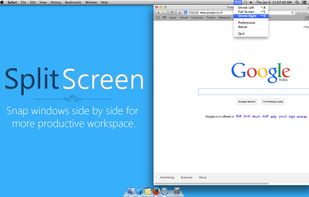
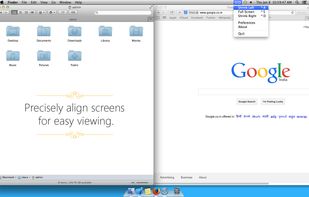
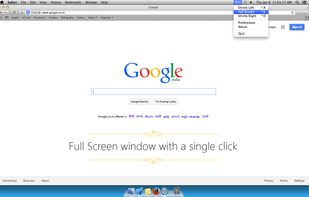
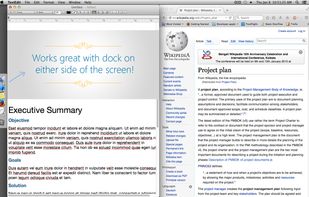
Split Screen allows you to effortlessly resize windows to exactly half your desktop at the touch of a simple keystroke. Gone are the days of trying to resize windows to fit nicely next to each other, with Split Screen it is as easy as pressing a button.


Have you ever wasted time repositioning application windows so you can see two windows simultaneously? DoublePane effortlessly repositions application windows to maximize your screen space for easy side-by-side viewing.


Keypad Layout is an easy to use, open source window layout manager for Mac that lets you control windows using using Ctrl + Numeric Keypad combinations.

Hummingbird is a macOS utility that allows easy moving and resizing of windows by holding modifier keys and dragging your mouse to move and resize windows.


?? Moves makes it easier than ever to position your windows juuust right.
? Just hold down your chosen modifier keys and move the mouse. No need to fiddle with 3px wide window edges or far way title bars.


Window management utility on macOS enabling window snapping, 2- and 3-zone layouts, app rotation, keyboard and trackpad gesture controls, plus overview mode for fast app assignment and switching, offering efficient multitasking in customizable zones.


Ankylix brings Vimium-style keyboard hints to macOS window management. Hit a hotkey and a letter appears on every window and tiling zone — press it to instantly focus, move, resize, or tile, without ever touching the mouse.