CheckList • Lists & Tasks icon

CheckList • Lists & Tasks

 1 like

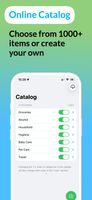
Make grocery, shopping, packing, task and idea lists. Add items fast from a catalog with 1000+ items or create your own, mark items as done and never forget anything.
CheckList • Lists & Tasks screenshot 1
CheckList • Lists & Tasks screenshot 2
+7
CheckList • Lists & Tasks screenshot 3

Cost / License

  • Freemium (Pay once or Subscription)
  • Proprietary

Application type

Since

  • Since 2026

Updated

  • Updated Nov 2026

Platforms

  • iPhone
  • iPad
1like
0articles
Save

Features

Properties

Features

Highlights All activities

CheckList • Lists & Tasks News & Activities

Recent activities

CheckList • Lists & Tasks information

  • Developed by

    KZ flagPavel Vatulin
  • Licensing

    Proprietary and Freemium product.
  • Pricing

    One time purchase that costs $29, and / or subscription that costs $1 per month + free version with limited functionality.
  • Alternatives

    43 alternatives listed
  • Badge

    Get an embeddable badge for CheckList • Lists & Tasks
  • Supported Languages

    • English
    • Russian
    • Arabic
    • Vietnamese
    • Indonesian
    • Spanish
    • Italian
    • Chinese
    • Korean
    • German
    • Dutch
    • Polish
    • Thai
    • Turkish
    • French
    • Hindi
    • Swedish
    • Portuguese
    • Japanese

AlternativeTo Category

Office & Productivity

Apple AppStore

  •   Updated 
  •   0 avg rating
View in AppStore
CheckList • Lists & Tasks was added to AlternativeTo by pvatulin-dev on and this page was last updated .

No comments or reviews, maybe you want to be first?

Official Links

What is CheckList • Lists & Tasks?

CheckList is a versatile app for creating all kinds of lists. Plan your shopping, pack for trips, organize household chores, work tasks, ideas, celebrations, recipes, pantry supplies, renovations, moving, and much more. Create your own lists from scratch or use the ready-made online catalog with 1000+ items, conveniently organized into categories.

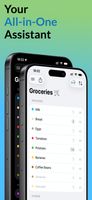
Add items in seconds by typing just the first few letters or using smart voice input, import lists from photos and the clipboard, rearrange them with simple drag and drop, set reminders, and mark items as completed with a double tap. Keep everything important in one place and reuse lists from your history. Build your own catalog, add items one by one or all at once, organize them into categories, and label them with colors. Customize the app to match your needs by choosing patterns and interface colors, and changing the app icon.

Simplicity and ease of use are at the core of CheckList’s design. Almost every action can be performed with simple gestures, taps, and swipes, without complicated menus or unnecessary confirmations. Every feature is designed to make creating, editing, and managing lists fast, intuitive, and convenient for both everyday tasks and long-term planning.