


ChatPDF
5 likes
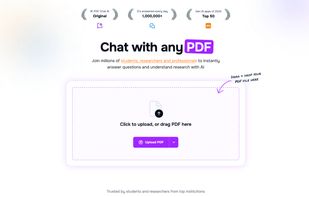
AI tool enabling chat-based queries with PDFs, delivering instant questions, summaries, and multilingual answers for research, reports, and literature. Secure cloud handling, automatic data deletion, and broad academic or professional document support.

Cost / License
- Freemium (Subscription)
- Proprietary
Application typeApplication types
 EU
EUPlatforms
- Online
- Android
- iPhone
- Windows


Features
ChatPDF News & Activities
Highlights All activities
Recent News
No news, maybe you know any news worth sharing?
Share a News Tip
Recent activities
 Kenolabs added ChatPDF as alternative to Orenvo PDF





ChatPDF information
Developed by
 ChatPDF Gmbh
 Licensing
Proprietary and Freemium product.Pricing
Subscription ranging between $4 and $20 per month + free version with limited functionality.Alternatives
168 alternatives listedBadge
Get an embeddable badge for ChatPDFSupported Languages
AlternativeTo Categories
AI Tools & Services, Office & Productivity, Education & ReferenceApple AppStore
- Updated
- 4.58 avg rating



Featured in Lists



The AI advantage tools_all
A list of AI tools that I've been collecting since mid-February 2023 that I actually use. For more information you can continue reading this first or skip to read the list first and then come back (recommended). If you enjoy this list please give it a heart 💗, thanks!
This list is made to give you a comprehensive list to give you a competitive advantage with AI. It's been selected from more than 130 tools, including Github repos, news from Twitter (it's been so much), using platforms recommendations especially made for AI tools (There's an AI for that, etc) and Youtube videos from AI youtubers that I trust and some blogs from AI developers and researchers and people who I think know their stuff.
In this intro it's a bit of a review and the general list is more or less a ranking, however beware of classification grouping ie beta.character AI is way better with direct interaction with the user and storytelling: better than ChatGPT and Bing (Bing is creative and useful for this, but the 20 messages limit per chat makes it no good for storytelling or general creative long tasks). but in the Altertive Tool list is placed lower because it's not general purpose or doesn't have much range yet. Or take Midjourney which is the best tool ever for image generation but is much later in the list because it's especialized.
I will be updating this list when I see more capabilities and maturing between the tools; ie Google Bard is not here because it's still underdeveloped for common daily use, or video AI tooling since it's a bit hacky yet, still to be decided a clear winner between the AI community and those kind of reasons.
Apart from general purpose this list is also directed to software developers.
Problem solving and general purpose (google replacement, the most mature chats yet):
ChatGPT used instead of googling and general debugging and for my college classes and some errors when developing software, software documentation and code syntax.
Perplexity used to search for information that requires finding specific links since ChatGPT allucinates links, quite handy extension since you can click in any website sits on the chrome toolbar (pinning it is very recommended), it saves your chats and you can continue where you left off, doesn't have a message limit per chat (I had an specific chat that has more than 110 messages without counting Perplexity answers), has login account, good and pretty UI. It also has an specific button to quickly summarize the website you're in. ask your questions page scope wide, website scop wide and in all the internet (default).
Bing AI chat: Quite good, why 3rd place then? it's just that i'm used to chrome lol (i have so many extensions to export and other unrelated reasons), and now Bing chat has from May 4, 2023 and forwards chat history! (main reason I didn't use it often), so I'm very willing on using Bing AI again. pretty and good UI. the sources and where everything comes from has a positive edge over ChatGPT, while browsing you can ask info about the website you're in. handy toggleable sidebar for Bing AI in Microsoft Edge Dev
You.com chat: I use this especifically to search book recommendations, know where to get technical documentation and general media recommendations since ChatGPT will give you more generic recommendations and it's not that much technical unless you discuss with it (it feels so bad call ChatGPT "it" X'D) more or less extensively (so you have to have a required higher knowledge to know). The advantage that You.com AI chat has it's that can read index context for example you're searching for a book or documentation, however the thing you're searching for doesn't appear on the title it instead would be the chapter of a book You.com chat will give you the result you want, Perplexity will tell you that such book doesn't exist and ChatGPT is possible set to allucination or give you something less precise. With YouChat it's much less effort and words to get the book rec you want, ChatGPT it's also more prone to allucinate title books with the requirements you give it or to allucinate Github repositories for that matter -_- . I don't use YouChat as much as I like though (i don't want to use that many different chats y'know) and I think ChatGPT or the above options are still better (ie usually Perplexity or Bing AI will give you more sources of information and still give you a cohesive and comprehensive answer, you.com chat will give you one source only if you give it an apparently simple ask), it's been some time since I've use it. Still put it here since I think it's a mature option compared to the rest and some might be interested in it. the UI is good but I think it could be better.
Between these 4 I would say you have two main routes: combine ChatGPT with Perplexity (because of link allucination) OR choose Bing AI since Bing gives accurate links and has a pretty good creative problem solving. try what works best for you, also I can't wait for Bing to augment more than 20 messages >:D
Coding (haven't used these 2 options as much since I usually still ask ChatGPT for code related asks / prompts):
Github Copilot ($10 per calendar month)
Amazon CodeWhisperer (it's free but needs your credit card to corroborate you're a real person)
AI tool recommendation platforms:
There's An AI For That: Most extensive one AI tool recommendation platform that I've found yet, and always early to list the new AI tools, think UI could be better. but almost every tool is there (most of exceptions are some Github repositories with less than 1000 stars specifically for software developers so... ).
AiToolHunt: also has tons of tools, nice tagging and very pretty UI
Other notable AI tools:
Midjourney: best AI image generation yet.
Wiseone: Handy extension it highlights not common terms on the dictionary like technical terms, names of companies, etc. You use it by hovering over the highlighted words, if it's an event or news it gives you the last ones and more relevants. Useful for not manully searching specific words and have a more linear reading experience instead of multiple tabs on the web.



Privacy-First AI Document Assistants for Biotech, Legal & Consulting
A curated collection of local, offline, and privacy-focused AI document assistants and RAG platforms. Ideal for biotech/pharma professionals reviewing GMP documents and pharmacovigilance records (like ICH Q7), as well as consultants and legal advisors who need strict NDA compliance, exact line/page citations, and desktop-first data security.


Comments and Reviews
The best way to chat with a PDF: Ask a question, and it shows you both the answer and exactly where it’s mentioned in the document