Cerebro Alternatives

Cerebro is described as 'Open source and free electron-based productivity software alternative to Alfred and Spotlight. It is focused on speed and good UI and UX. In most cases you don't even need to open another application, because you can see results right in Cerebro, like google' and is a popular application launcher in the office & productivity category. There are more than 50 alternatives to Cerebro for a variety of platforms, including Mac, Windows, Linux, KDE Plasma and Google Chrome apps. The best Cerebro alternative is Vicinae, which is both free and Open Source. Other great apps like Cerebro are Raycast, Alfred, Listary and Wox Launcher.

Copy a direct link to this comment to your clipboard
Cerebro alternatives page was last updated

Alternatives list

  1. Tinycast icon
     3 likes

    Lightweight native macOS launcher offering fuzzy search, app pinning, visible running apps, inline calculation and conversion, searchable clipboard history for text and images, per-app custom hotkeys, no telemetry, minimal resource use, and open-source simplicity.

    Cost / License

    • Free
    • Open Source

    Platforms

    • Mac
    • Homebrew
     
  2. Designed for beginners and professionals alike, Monarch is a command center that makes it easier than ever to switch apps, run calculations, search clipboard history, take notes and more with only a single hotkey. No complicated setup or configuration required.

    Cost / License

    • Paid
    • Proprietary

    Application type

    Platforms

    • Mac
     
  3. Hister icon
     3 likes

    Your own search engine. Hister turns the pages you visit and the files you keep into a private, full content search index that you control.

    Cost / License

    Application type

    Platforms

    • Mozilla Firefox
    • Google Chrome
    • Linux
    • Mac
    • Windows
    • Docker
    • Nix Package Manager
     
  4. Walker icon
     6 likes

    Walker is a highly extendable application launcher that doesn't hold back on features and usability. Fast. Unclutters your brain. Improves your workflow.

    Cost / License

    Platforms

    • Linux
     
  5. SOL icon
     6 likes

    If you ever liked tools like Raycast and Alfred, but wanted to own them and tweak them yourself, then SOL is the tool for you. All the affordances of complex tools now made open source.

    Cost / License

    • Free
    • Open Source (MIT)

    Platforms

    • Mac
     
  6. Keboard icon
     2 likes

    Floating macOS keyboard enables app and shortcut binding to any key, features customizable trigger key, theme and animation options, live previews for show and hide effects, quick access to automation workflows, single-tap AI tool launching, and Dock-free app launch.

    Cost / License

    • Paid
    • Proprietary

    Application type

    Platforms

    • Mac
     
  7. SupaSidebar icon
     6 likes

    SupaSidebar is a macOS app that brings Arc's sidebar to every browser - one sidebar for tabs, bookmarks, files, and apps across Safari, Chrome, and even Finder.

    Cost / License

    • Freemium
    • Proprietary

    Platforms

    • Mac
     
  8. TextSeek icon
     10 likes

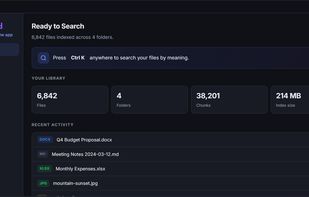
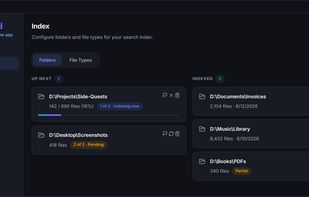
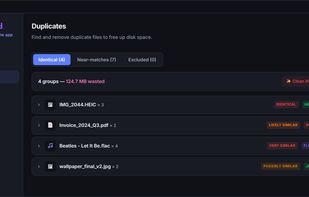
    TextSeek is a professional full-text desktop search tool for Windows and MacOS. It supports PDF, Word, Excel, Powerpoint, RTF and other formats.

    Cost / License

    • Freemium
    • Proprietary

    Application type

    Platforms

    • Mac
    • Windows
     
  9. Flashlight icon
     7 likes

    Flashlight gives you control over Spotlight. There are tons of options for customization so you can do things how you want to. Flashlight is designed to make enhancing Spotlight easy and enhance it's usefulness on macOS 10.9 and up.

    Cost / License

    • Free
    • Open Source

    Application type

    Platforms

    • Mac
     
  10. Direct Folders icon
     29 likes

    Access your folders from anywhere.

    Cost / License

    • Freemium
    • Proprietary

    Application type

    Platforms

    • Windows
    • Windows Explorer
     
  11. Lacona icon
     16 likes

    Lacona is a docker app for Mac OSX that accepts natural language commands. Call up Lacona with a keyboard shortcut and type whatever you want to do. It gives intelligent suggestions as you type and then follows your orders.

    Cost / License

    • Freemium
    • Proprietary

    Application type

    Platforms

    • Mac
     
You are at page 3 of Cerebro alternatives