Capture Full Page - Screenshot Editor AlternativesScreenshot Capture Tools and other similar apps like Capture Full Page - Screenshot Editor

Capture Full Page - Screenshot Editor is described as 'Capture Full Page is a Chrome screenshot extension that captures the entire scrolling page, the visible screen, or a selected area, then lets you annotate and export without leaving the tab. Three capture modes, a full editor (arrows, text, highlighter, crop, step numbering' and is a screenshot capture tool in the photos & graphics category. There are seven alternatives to Capture Full Page - Screenshot Editor for a variety of platforms, including Google Chrome, Mozilla Firefox, Mac, Windows and Web-based apps. The best Capture Full Page - Screenshot Editor alternative is Lightshot, which is free. Other great apps like Capture Full Page - Screenshot Editor are FireShot, FuseBase Capture, GoFullPage and Awesome Screenshot.

Copy a direct link to this comment to your clipboard
Get a badge for your siteCapture Full Page - Screenshot Editor alternatives page was last updated

Alternatives list

  1. Lightshot icon
     211 likes

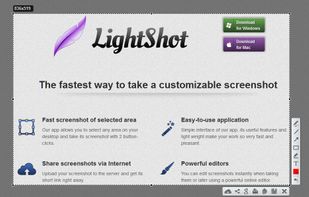
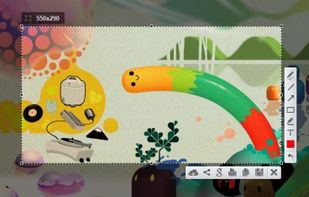
    Captures selectable screen regions for Windows and Mac, offers instant uploading, quick editing, and sharing through short URLs, supports saving locally, annotating, clipboard copying, browser add-ons, upload history access, and operates without heavy system use.

    220 Lightshot alternatives

    Cost / License

    • Free
    • Proprietary

    Application type

    Alerts

    • Warning
    • Bundleware
    • Discontinued

    Platforms

    • Mac
    • Windows
    • Google Chrome
    • Wine
    • Mozilla Firefox
     
  2. FireShot icon
     42 likes

    Capture full web page screenshots in Firefox, Chrome, Opera, Pale Moon or Internet Explorer Quick screenshots and annotations!

    154 FireShot alternatives

    Cost / License

    • Freemium
    • Proprietary

    Platforms

    • Internet Explorer
    • Google Chrome
    • Pale Moon
    • Thunderbird
    • Opera
    • Firefox
     
  3. Capture full and partial screenshots, record screen or webcam videos with extensive editing tools, including annotations, video conversion to gif/mp4, and sharing options. Create step-by-step guides enhanced by AI, save in multiple formats, and utilize cloud storage integration.

    188 FuseBase Capture alternatives

    Cost / License

    • Freemium
    • Proprietary

    Application type

    Platforms

    • Online
    • Microsoft Edge
    • Google Chrome
    • Opera
    • Mozilla Firefox
     
  4. GoFullPage icon
     13 likes

    The simplest way to take a full page screenshot of your current browser window. Click on the extension icon (or press Alt+Shift+P), watch the extension capture each part of the page, and be transported to a new tab of your screenshot where you can download it as an image or PDF...

    131 GoFullPage alternatives

    Cost / License

    • Freemium
    • Proprietary

    Application type

    Platforms

    • Mac
    • Windows
    • Linux
    • Google Chrome
     
  5. Capture the whole page or any portion, annotate it with rectangles, circles, arrows, lines and text, one-click upload to share.

    Cost / License

    • Freemium
    • Proprietary

    Platforms

    • Mac
    • Windows
    • Google Chrome
    • Safari
    • Firefox
     
  6. Take screenshot of entire webpage with single click.

    Cost / License

    • Free
    • Proprietary

    Application type

    Platforms

    • Online
    • Firefox
     
  7. Page Screenshot for Safari is an awesome extension, just a click away, ready to use every time you need to capture a webpage screenshot, either the full page or just part of it.

    Cost / License

    • Paid
    • Proprietary

    Application type

    Platforms

    • Mac
     
7 of 7 Capture Full Page - Screenshot Editor alternatives