Capso is described as 'Free and open-source screenshot and screen recording app built natively for macOS in Swift. It offers annotation tools, scroll capture, GIF recording, OCR text recognition, and a smart OCR-powered highlighter. No Electron, no subscriptions, no watermarks' and is an app in the office & productivity category. There are more than 50 alternatives to Capso for a variety of platforms, including Mac, Windows, Web-based, Google Chrome and Linux apps. The best Capso alternative is ShareX, which is both free and Open Source. Other great apps like Capso are Greenshot, Recordly, Snipping Tool and PicPick.


PixelSnap is an app for macOS that makes it easier for designers and web-developers to measure anything on their screens by just clicking and dragging around the cursor.


A screen recorder comes with automated editing. Automatically track cursor movement, apply dynamic zoom and click effects, add a pleasant background, and generate a professional-looking video/gif that is ready to use.
Shotomatic captures, schedules and scripts screenshots on Mac so you can archive your favorite content, create timelapses, record bug reports and tutorials without lifting a finger.


Trickle helps you summarize and organize screenshots, extracting insights for easy search and query. Transform visual chaos into an intelligent archive, allowing you to screenshot anything and effortlessly retrieve and utilize its contents later.


Screenshot Captor is a program for taking screenshots on your computer. Its different from other screenshot utilis in several notable ways:


The Fenêtre Capture Tool for making professional screenshots and screen recordings. With advanced functions and abilities that other free capture tools don't offer.


Screen Story is a video creation tool for MacOS that doesn't require advanced editing skills. It includes features such as Smooth Cursor for quality animation, AutoZoom and AutoFollow for automatic zoom animations, and Motion Blur for smoother videos.


not8 enables to write notes directly on the team website, and share them with colleagues. These notes will help to efficiently share feedback and reviews between colleagues, without the necessity of video explanations, long emails or screenshots.


Meet MiniSnip, the smallest and fastest way to capture your screen and extract text with OCR on Windows. Open-source, feather-light, uses minimal resources, and stays completely out of your way.
Just one hotkey (Ctrl+Shift+C) is all you need to start.

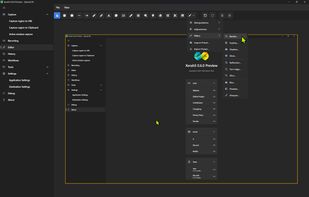
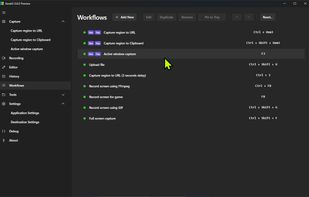
The most advanced screen capture tool for Windows, macOS, and Linux. ShareX reimagined with modern UI technologies, built from the ground up for cross-platform performance.


What are the dimensions of that image? How big is this window? Does this layout fit on an NTSC display? What color are these pixels? What does this icon look like close up? How can I capture an arbitrary portion of the screen?