Camtasia Alternatives

Camtasia is described as 'Create stunning HD videos with compact file sizes using this intuitive tool with presets for YouTube, HD display, and Screencast.com platforms' and is a very popular Video Editor in the video & movies category. There are more than 100 alternatives to Camtasia for a variety of platforms, including Windows, Mac, Web-based, Linux and Android apps. The best Camtasia alternative is OBS Studio, which is both free and Open Source. Other great apps like Camtasia are Kdenlive, Shotcut, DaVinci Resolve and OpenShot.

filter to find the best alternatives

Camtasia alternatives are mainly Screen Recorders, but if you're looking for Screenshot Capture Tools or Video Editors you can filter on that. Other popular filters include Linux, Free, Open Source, Android Tablet, Windows, Screen Recording and Windows + Free. You can also filter by region, for example EU-based alternatives if you prefer software developed in the European Union. These are just examples - use the filter bar below to find more specific alternatives to Camtasia.
Copy a direct link to this comment to your clipboard
Camtasia alternatives page was last updated

Alternatives list

  1. StatusQ icon
     1 like
    Copy a direct link to this comment to your clipboard

    Elevate your storytelling with StatusQ Music Video Maker, the ultimate free Music Video Maker application! Seamlessly blend your favorite photos, video clips, and music tracks to craft mesmerizing visual narratives that resonate with your audience.

    Cost / License

    • Free
    • Proprietary

    Application type

    Platforms

    • Android
     
  2. FreezingCam icon
     1 like
    Copy a direct link to this comment to your clipboard

    Freeze your webcam at anytime during video calls. You can even play a video instead!.

    14 FreezingCam alternatives

    Cost / License

    • Pay once or Subscription
    • Proprietary

    Platforms

    • Mac
    • Windows
     
  3. GOM Cam icon
     2 likes
    Copy a direct link to this comment to your clipboard

    Record what you see on your PC screen exactly as it appears. GOM Cam also records all audio outputs from your PC, allowing you to make more dynamic videos. Record your computer screen, webcam video or games, and share with others on YouTube, Google Drive or Facebook.

    Cost / License

    • Paid
    • Proprietary

    Platforms

    • Windows
     
  4. Dashcam icon
     Like
    Copy a direct link to this comment to your clipboard

    Screen recorder for developers.

    Cost / License

    • Free
    • Proprietary

    Application type

    Platforms

    • Mac
    • Windows
     
  5. VidGrid icon
     Like
    Copy a direct link to this comment to your clipboard

    Video capture, screen recording, in-video questions, call to actions, video management, sharing, LMS integrations, hosting, analytics, and closed captioning inside one app.

    Cost / License

    • Subscription
    • Proprietary

    Platforms

    • Mac
    • Windows
    • Online
    • Android
    • iPhone
    • Android Tablet
    • iPad
    • Software as a Service (SaaS)
     
  6. Copy a direct link to this comment to your clipboard

    Kingshiper Screen Recorder for Mac is a powerful and user-friendly software tool designed for capturing screen activity on your Mac. It provides various recording modes, you can select one to begin your recording to suit your specific needs.

    Cost / License

    • Freemium (Subscription)
    • Proprietary

    Application type

    Platforms

    • Mac
     
  7. RecordAnyVid icon
     1 like
    Copy a direct link to this comment to your clipboard

    It's an easy-to-use screen recorder software for Windows and Mac computers. With it, you can easily select the recording area such as screen or customized size you like.

    Cost / License

    • Pay once
    • Proprietary

    Application type

    Platforms

    • Mac
    • Windows
     
  8. Copy a direct link to this comment to your clipboard

    SurFlex is the ultimate screen recording solution for both PC and Mac, providing a seamless experience to effortlessly capture top-notch video and audio from your screen, applications, windows, webcam, and microphone, all without the inconvenience of watermarks.

    Cost / License

    • Freemium (Pay once or Subscription)
    • Proprietary

    Platforms

    • Mac
    • Windows
     
  9. Copy a direct link to this comment to your clipboard

    Aiseesoft Screen Recorder is used to record your computer screen. You can use this screen recording software to record video and audio on your computer. It is currently the easiest but most convenient screen recording software.

    Cost / License

    • Pay once or Subscription
    • Proprietary

    Platforms

    • Windows
     
  10. Borumi icon
     3 likes
    Copy a direct link to this comment to your clipboard

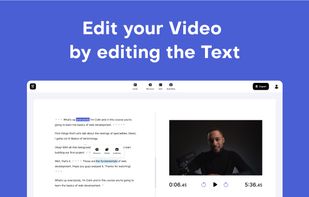
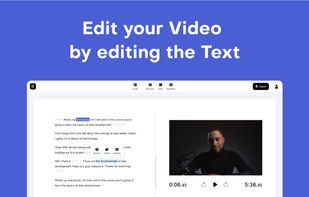
    Comprehensive tool supporting all video creation stages with a doc-style editor, separate scene recording, auto-sync, customizable layout, and transcript-based editing.

    Cost / License

    • Pay once
    • Proprietary

    Platforms

    • Mac
     
  11. FocuSee icon
     3 likes
    Copy a direct link to this comment to your clipboard

    A screen recorder comes with automated editing. Automatically track cursor movement, apply dynamic zoom and click effects, add a pleasant background, and generate a professional-looking video/gif that is ready to use.

    89 FocuSee alternatives

    Cost / License

    • Pay once or Subscription
    • Proprietary

    Platforms

    • Mac
    • Windows
     
You are at page 10 of Camtasia alternatives