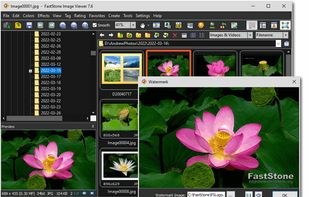
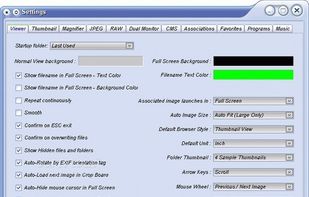
Fast image browser and editor for Windows with robust support for browsing, editing, and conversion. Features red-eye removal, resizing, enhanced EXIF access, and musical slideshows with over 150 effects.


BulkPic is described as 'Is our freeware Windows application for processing large numbers of images quickly' and is an app in the photos & graphics category. There are seven alternatives to BulkPic for Windows, Linux, PortableApps.com and ReactOS. The best BulkPic alternative is FastStone Image Viewer. It's not free, so if you're looking for a free alternative, you could try FastStone Image Viewer or XnView Classic. Other great apps like BulkPic are FastStone Photo Resizer, Light Image Resizer, ReaConverter and ImBatch.
Fast image browser and editor for Windows with robust support for browsing, editing, and conversion. Features red-eye removal, resizing, enhanced EXIF access, and musical slideshows with over 150 effects.


XnView Classic is an efficient image viewer, browser and converter for Windows with built-in support for over 500 image formats.


Converseen is a free cross-platform batch image processor for Windows and Linux that allows you to convert, resize, rotate and flip an infinite number of images with a mouse click.


Batch process photos with resizing, cropping, color adjustments, text or watermark overlays, preview changes before saving, automate renaming with custom patterns, support for major formats, folder structures, preset settings, and drag-and-drop management.

Create email-friendly images, resize in batches, convert formats, and compress using high-quality filters. Integrated in Windows Explorer, it offers high-res settings, watermarking, a profiles library, PDF creation, and supports devices like iPad and iPhone.


ReaConverter is time-saving batch image converter software that supports more than 700 source formats and over 60 output formats.


ImBatch is a batch image processor with a nice graphical user interface. It will allow you to edit multiple image files at the click of a button by using scripts. The script will be created by combining Tasks.