


BTC Map
3 likes
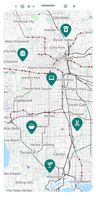
See where you can spend your bitcoins.



+2

Cost / License
- Free
- Open Source (AGPL-3.0)
Platforms
- Android
- iPhone
- Web Browser
- F-Droid

Features
Highlights All activities
BTC Map News & Activities
Recent activities
No activities found.
Developed by
 teambtcmap
 Licensing
Open Source (AGPL-3.0) and Free product.Written in
Alternatives
1 alternatives listedBadge
Get an embeddable badge for BTC MapSupported Languages

AlternativeTo Categories
Travel & Location, Bitcoin & CryptocurrencyApple AppStore
- Updated
- 5 avg rating
GitHub repository
- 69 Stars
- 40 Forks
- 59 Open Issues
- Updated


The ultimate F-Droid setup (300+ Apps)
WHAT IS F-DROID ?
F-Droid is an awesome app repository for FOSS (Free & Open Source Software) android apps. From productivity apps to games, f-droid has (almost) everything you need.
Hope you will discover useful FOSS apps to free your phone from Big Tech^^
REPOSITORIES :
This list includes apps from the official f-droid repo but also from IzzyOnDroid and some customs repositories which will be always linked so you can add them easily.
CATEGORIES :
F-Droid clients
Utilities
Social & Communication / 8 subcategories
Health / 7 subcategories
Customization / 3 subcategories
Gaming / 3 subcategories
Internet / 6 subcategories
Productivity / 15 subcategories
Privacy / 5 subcategories
Security / 4 subcategories
Media apps / 10 subcategories
If you care about privacy check :
Privacy focused OS for everyone
My privacy and user friendly setup
For more FOSS Android apps check : Beautiful Open Source Apps for Android
DISCLAIMERS :
Adding custom repo might not be as secure as the official one so I'm not responsable if you encounter any problems with them ! I encourage you to do your own research about it !
Also while open source is great for privacy and security it is not perfect. So keep that in mind before downloading any apps.
Most apps that I've listed are privacy friendly but some might be not be perfectly private and secure. I again encourage you to do your own research about them.
I am not a privacy and security expert. I'm also don't consider myself as a developper so I do not have any technical knowledge and so I didn't look into any source code of any apps in this list !
English is not my mother tongue ^^'


My uncomplete crypto guide ! [2025 GUIDE]
THIS IS A WORK IN PROGRESS GUIDE ! AND THIS IS NOT FINANCIAL ADVICE !
There is no "right way" to use cryptocurrencies. This is just my advice to use them as currencies, buying no-KYC, storing securely in hardware wallet, using mobile wallet for spending, etc...
I HATE cryptocurrency current state ! From useless tokens to scams, the market is overpolluted and the media doesn't help giving crypto a bad image of the space.
But crypto aren't all scams and this was not meant to be easy investment to become multi-millionaire. Bitcoin is known to be the first cryptocurrency but that is not entierly true. Many attempt over the pasts decade lead to Bitcoin 's creation. It was just the first one that was working, that was decentralised and fully Peer to Peer. That you like it or not Bitcoin is here to stay and nobody would be able to shut it down. It allow people to store and spend money without any shape of authority to restrict them.
After the FTX implosion many people are starting to be aware of the current cryptocurrency problem. We evade the banking system to reproduce it with digital assets instead of fiat...
In this list you will discover, wallets, tools and services to store and use cryptocurrencies correctly. THIS IS NOT FINANCIAL ADVICE, ONLY INVEST WHAT YOU CAN AFFORD TO LOOSE !
You will also learn to buy crypto while avoiding KYC (Know You Customer) policies so your transactions aren't tied to your identity !
IT'S IMPORTANT TO DO YOUR OWN RESEARCH BEFORE INVESTING IN ANY PROJECT ! I DO NOT KNOW EVERYTHING AND THIS GUIDE HAVE ERRORS FOR SURE !


ProgressiveWebApps to bypass AppStore's tyrany
Currently Mozilla Firefox based browser don't properly supports PWA.
You better use a chromium based browser such as Brave
Many PWAs will automatically prompt an install button when you visit the app in the web browser. If not, tap the button next to the address field and select "Add to Home screen", "Install app" or "Install" in the list of options that appears.
On iOS and iPadOS you will need to use Safari to add them to your HomeScreen.
For installing them, tap the button "share" in the browser. Scroll right among the options that appear and select "Add to Home Screen".


No comments or reviews, maybe you want to be first?