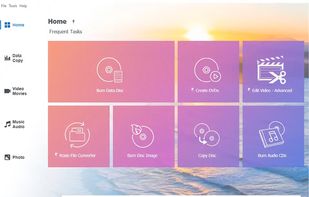
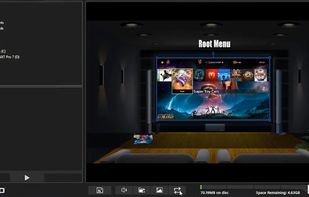
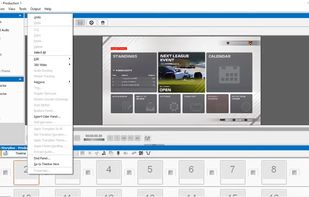
Comprehensive multimedia suite with over 20 integrated applications offering disc burning, video capture and editing, photo editing, file conversion, DVD authoring, and encryption, ensuring versatile media management and online sharing capabilities.


Brasero is described as 'Application to burn CD/DVD for the GNOME Desktop. It is designed to be as simple as possible and has some unique features to enable users to create their discs easily and quickly' and is a very popular Disc Burner in the cd/dvd tools category. There are more than 25 alternatives to Brasero for a variety of platforms, including Windows, Linux, Mac, BSD and KDE Plasma apps. The best Brasero alternative is ImgBurn. It's not free, so if you're looking for a free alternative, you could try ImgBurn or WinCDEmu. Other great apps like Brasero are K3b, PowerISO, Nero Burning ROM and AnyBurn.
Comprehensive multimedia suite with over 20 integrated applications offering disc burning, video capture and editing, photo editing, file conversion, DVD authoring, and encryption, ensuring versatile media management and online sharing capabilities.


Lightweight CD/DVD burning software designed for Xfce, but it runs on Gnome, KDE etc as well. It can blank CDs and DVDs, burn and create ISO images and burn personal compositions of data. At the moment it is at heavy development.

It works out of the box, it's light and very simple.


EZ CD Audio Converter is the most comprehensive multi format audio converter and is extremely easy to use.


dBpoweramp contains a multitude of audio tools in one: CD Ripper, Music Converter, ID Tag Editor and Windows audio shell enhancements. Preloaded with mp3 & Wave codecs, practically every audio codec can be installed from Codec Central, as well as Utility Codecs (perform...


Power2Go is a simple all-in-one solution for all your disc burning, movie disc authoring, media conversion and backup needs. With unparalleled support for a wide-range of disc & mobile formats, you can drag-n-drop files to instantly burn data or movies.


ISO Workshop is a Windows desktop application designed to simplify ISO image management and conversion, along with CD/DVD/Blu-ray disc burning and copying operations.


CD and DVD Burner An application for copying and burning CDs and DVDs, authoring and creating DVDs with menus and chapters, and editing or converting audio content.


Comprehensive media manager for archiving, organizing, and playing files. It supports wireless transfer from devices, CD ripping with album art, and offers editing tools. Users can create slideshows, playlists, and burn them to optical discs, enhancing the experience with music and templates.


ISOburn can directly burn your ISO and CD/DVD image file to CD-R,CD-RW, DVD-R, DVD-RW, DVD+R, DVD+RW,HD DVD and Blu-ray Disc, it write any data directly.


gBurner is a powerful disc burning and imaging software, which allows you to create data, audio and video CDs, DVDs and Blu-ray Discs, make bootable data discs, create multisession discs. gBurner also supports image file processing, virtual drive, and bootable USB drive creation.

DeepBurner is an advanced and extremely powerful CD and DVD burning package. It even removes the hassle of making autoruns, creating and printing your own labels and booklets. Burn any data, copy any disc, make backups, create astonishing photo albums, make ISO images and Video...


Albeit it can burn CDs/DVDs/BluRays just like Brasero, it lacks the feature to read a disc and create an ISO image from such.