BiblioFuse icon
BiblioFuse icon

BiblioFuse

BiblioFuse is your personal comic and eBook library, wherever you want to read it.
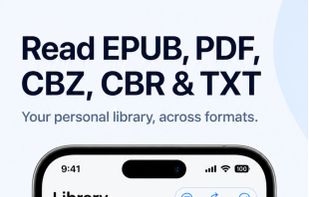
Reader support and main GUI on iphone

Cost / License

  • Freemium (Pay once or Subscription)
  • Proprietary

Platforms

  • Windows
  • Online
  • Android
  • iPhone
  • iPad
  • Android TV
  • Apple TV
  • visionOS
  • Mac
  • Docker
  • Synology C2
0likes
0comments
0articles

Features

Properties

  1.  Support for Themes
  2.  Lightweight
  3.  Privacy focused

Features

  1.  Dark Mode
  2.  Text to Speech
  3.  Cloud Sync
  4.  Ebook Conversion
  5.  File Tagging
  6.  No Tracking
  7.  No registration required
  8.  Built-in viewer
  9.  Works Offline
  10.  Supports Zip files
  11.  Ad-free
  12.  Sync with iCloud
  13.  Streaming
  14.  File Storage
  15.  File Compression

BiblioFuse News & Activities

Highlights All activities

Recent activities

BiblioFuse information

  • Developed by

    MY flagmodern logic tech solutions
  • Licensing

    Proprietary and Freemium product.
  • Pricing

    One time purchase that costs $15, and / or subscription ranging between $1 and $5 per month + free version with limited functionality.
  • Alternatives

    33 alternatives listed
  • Badge

    Get an embeddable badge for BiblioFuse
  • Supported Languages

    • English
    • Spanish
    • French
    • Dutch
    • Portuguese
    • Russian
    • Chinese
    • Japanese
    • Korean
    • Indonesian
    • Malay

AlternativeTo Categories

News & BooksFile ManagementOffice & ProductivityEducation & ReferencePhotos & GraphicsOS & UtilitiesBackup & Sync

Apple AppStore

  •   Updated 
  •   0 avg rating
BiblioFuse was added to AlternativeTo by mlogictech on and this page was last updated .
No comments or reviews, maybe you want to be first?

Official Links

What is BiblioFuse?

BiblioFuse is your personal comic and eBook library, wherever you want to read it.

What began as a mobile reader has grown into a native reading and personal-library streaming ecosystem for phones, tablets, computers, spatial devices, televisions and NAS servers.

Read CBZ, CBR, PDF, EPUB and TXT files directly from your device, keep selected books in iCloud, or stream your collection from a Mac, Windows PC, Docker server or Synology NAS. You choose where your books live and which screen you use.

Keep books on your device

  • Import books to iPhone, iPad, Android phone, Android tablet or Vision Pro and read without running a server.
  • Ideal for travel, offline reading and smaller libraries you want to carry with you.

Read on a computer or NAS

  • Use the native Mac or Windows app for a larger-screen experience.
  • Open the browser-based library included with Docker and Synology hosts.
  • Keep your collection on local storage or attached NAS folders.

Stream without filling mobile storage

  • Turn the Mac app, Windows app, Docker container or Synology package into your personal library host.
  • Browse and open books without permanently downloading the full collection.
  • At home, compatible hosts can be discovered automatically over local Wi-Fi.
  • Supported mobile readers can connect away from home using Tailscale.
  • Reading progress for streamed books is stored on the host, helping connected devices continue from the same place.

Read on TV

  • Browse and read from the sofa with dedicated Apple TV and Android TV apps.
  • Stream from Mac, Windows, Docker or Synology over local Wi-Fi without storing the full library on the TV.

Use iCloud as flexible storage

  • Keep books in your own iCloud storage on supported Apple and desktop platforms.
  • Load or unload books as needed to save device storage.
  • Keep iCloud reading progress in sync across supported devices.

Native reader apps

  • iPhone and iPad
  • Android phone and tablet
  • macOS
  • Windows
  • visionOS
  • Apple TV
  • Android TV

Hosting options

  • BiblioFuse for Mac
  • BiblioFuse for Windows
  • Docker for NAS and home servers
  • Synology SPK

Docker and Synology host apps are free to use. Reader apps are also free to use, with optional Pro features such as streaming from a host.

Apple, Android and Windows Pro purchases are separate. Apple Universal Purchase covers supported Apple platforms, while Android Universal Purchase covers supported Android platforms.

Built for personal libraries

  • No upload to a commercial library service is required.
  • Your books remain on the devices, computers, NAS folders, iCloud account or personal servers you choose.
  • Whether you want an offline reader, a desktop library, self-hosted mobile streaming or a lean-back TV experience, BiblioFuse lets you build the setup that fits you.

