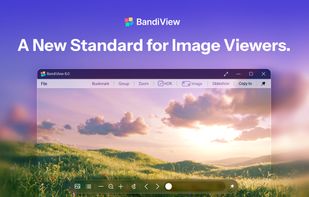
BandiView is a fast, feature-rich image viewer for Windows developed by Bandisoft, the maker of Bandizip. It is the successor to the popular freeware viewer Honeyview, carrying over its speed and simplicity while adding modern format support, HDR output, and professional-grade viewing tools.
BandiView is available as a free Trial (shareware, ad-supported, with some features limited for non-commercial personal use) and as a paid Professional Edition, which unlocks HDR output, Webtoon View mode, ad-free use, faster batch conversion, and additional format support (HEIC/HEIF and Clip Studio Paint files).
Main features
• Fast, lightweight image loading and browsing with no maximum resolution limit
• HDR image output for supported HDR-capable displays (Professional Edition), including Ultra HDR JPEG, HEIC, AVIF, EXR, JXR, PSD, DDS, JXL, and Radiance HDR sources
• Webtoon View mode for continuous vertical scrolling through long-format comics and storyboards (Professional Edition)
• View images directly inside archive files (ZIP, RAR, 7Z, CBR, CBZ, and more) without extracting
• Batch image conversion: resize and change format for multiple images at once, with the Professional Edition offering up to 10x faster conversion and dedicated HEIC?Any, CLIP?Any, and Any?AVIF conversion paths
• HiDPI (per-monitor DPI-aware) display support and per-monitor ICM color profile support
• Prompt metadata viewing for AI (Stable Diffusion-generated) images
• RAW+JPG grouping, so paired shots from a camera display as a single image
• EXIF and metadata viewing
• Explorer thumbnail previews for formats like PSD, CLIP, SVG, CBR, and CBZ
• Command-line parameter support for automation and scripted workflows
• Can be set up as an automatic slideshow viewer
Supported image formats
• Common formats: BMP, JPG, GIF, PNG, TIFF, WebP, PSD, DDS, JXR, J2K, JP2, TGA, PCX, PGM, PNM, PPM, BPG, DNG
• RAW formats from major camera manufacturers (CR2, CRW, NEF, NRW, ORF, RW2, PEF, SR2, RAF, and newer RAW formats)
• AVIF, JPEG XL (JXL), EXR, QOI, ICO, SVG
• Animated GIF, WebP, BPG, PNG, and AVIF
• HEIC/HEIF/HIF and Clip Studio Paint (.clip) files (Professional Edition only)
Image viewing
• Instant loading and navigation, with no file-size or resolution cap
• Zoom, rotate, flip, and fit-to-window viewing
• Full-screen viewing
• Animated image playback
Batch conversion
• Convert multiple images at once
• Resize and change output format
• Faster conversion and extra format-specific conversion paths in the Professional Edition
Platform
• Windows 10/11 (64-bit), with native x64 and ARM64 builds




 Bandisoft


Comments and Reviews
The successor of HoneyView. I'm not sure if it carries over the ability to see image previews in context menu, but I really liked that ability. It may be that this can only be set up in installation mode by allowing all the extensions. I haven't put the effort in to uninstall and reinstall.